Cheap vs Expensive Hosting 2026: What Nobody Tells You Before You Pay
“When I made the plan to launch my website, WP Skillz, I didn’t have enough money to buy premium hosting, let alone find a decent budget option. This comes from my personal experience: I struggled immensely and searched all over YouTube and Google. While there were plenty of videos and articles, they never guided me properly. They would recommend options, but they were always far too expensive.
What I desperately needed was a comprehensive breakdown that clearly explained the exact differences and technical details between low-cost and high-ticket hosting packages, complete with valid coupon codes so I could secure hosting and a domain at a massive discount. Back then, I couldn’t find a single platform doing this right. That is exactly why I decided to write this tutorial-style article—so no one else has to face that frustrating hurdle. Now, users can get massive value from this guide, and a dedicated video tutorial on this will be coming out very soon!”
I have migrated over 60 client websites between hosting providers over the past eight years.
The pattern I see most often: a business owner builds a WordPress site on cheap shared hosting because it costs $3 a month. The site runs fine for six months. Then traffic grows, the site starts timing out during busy hours, Google Search Console fills up with crawl errors, and the client calls me frustrated because their rankings have dropped and they do not know why.
The hosting was not wrong for month one. It was wrong for month seven.
The real question in the cheap vs expensive hosting decision is not “which is better” — it is “which is right for where my site is now, and when do I need to upgrade.”
This guide answers that question honestly, without affiliate pressure.
What Cheap Hosting Actually Means — The Technical Reality
When you pay $2-4 per month for shared hosting, you are sharing a physical server with hundreds or sometimes thousands of other websites. Your site, a recipe blog in Canada, a fitness site in Pakistan, and an e-commerce store in the UK are all running on the same server hardware simultaneously.
This is called shared hosting, and the economics of it work like this: the hosting company buys one powerful server and rents space on it to 500 customers. At $3/month each, that is $1,500 per month from one server that costs them $400 to maintain. The margin is the business model.
The problem is resource contention. Server CPU, RAM, and disk read/write speed are shared across all those sites. If ten sites on your server get a traffic spike simultaneously, every site on that server slows down — including yours. You had nothing to do with the cause, but you experience the effect.
What cheap hosting gives you:
- Enough resources for a new site with under 500 daily visitors
- Basic SSL certificate (free with most plans now)
- One-click WordPress installation
- Shared IP address (the same IP serves hundreds of other sites)
What cheap hosting does not give you:
- Consistent performance under traffic load
- Server-level caching for WordPress
- Isolation from other sites’ security incidents
- Fast support when something breaks
What Expensive Hosting Actually Means
Premium hosting — VPS, managed WordPress, or cloud hosting — puts your site on dedicated or semi-dedicated resources. You are no longer sharing CPU and RAM with hundreds of strangers.
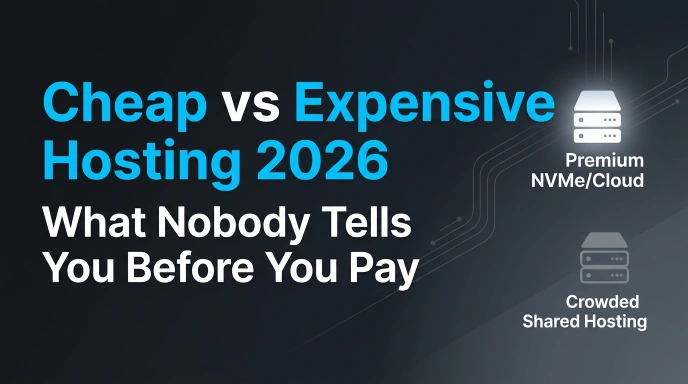
VPS (Virtual Private Server): A physical server divided into isolated virtual machines. Your VPS has a guaranteed allocation of CPU cores and RAM. What happens to other VPS instances on the same physical hardware does not affect yours.
Managed WordPress Hosting: Servers configured specifically for WordPress performance — LiteSpeed or Nginx instead of Apache, Redis caching, built-in CDN, automatic WordPress core updates, and daily automated backups. Kinsta, WP Engine, and SiteGround’s higher-tier plans fall into this category.
Cloud Hosting: Your site runs across multiple servers simultaneously. If one server fails, another takes over instantly. Resources scale up automatically during traffic spikes rather than crashing. More complex to manage, but the most reliable option for high-traffic sites.
The fundamental difference is not features on a comparison table. It is how the server behaves under real conditions — when your article gets shared on social media, when a bot crawls your site aggressively, when two visitors load your site at the same second.
The Speed Gap — And Why It Directly Affects Your Rankings
This is where the cheap vs expensive hosting decision intersects directly with SEO, and most beginners do not realize it until rankings have already dropped.
Google’s Core Web Vitals — LCP, INP, and CLS — are direct ranking signals. LCP (how quickly the main content loads) is heavily influenced by your server’s response time, which is called TTFB (Time to First Byte).
A well-configured cheap shared hosting plan might have a TTFB of 800-1200ms. A managed WordPress hosting plan typically has TTFB under 200ms. That 600-1000ms difference in server response time shows up directly in your LCP score.
Practical example: I tested the same WordPress site on cheap shared hosting and then moved it to a managed VPS with LiteSpeed. Same theme, same plugins, same content — only the hosting changed. Mobile performance score on PageSpeed Insights went from 52 to 81. LCP dropped from 4.8 seconds to 1.6 seconds.
Run the WP Skillz Website Speed Test on your current site. If your mobile performance score is below 60, check your TTFB first. If it is consistently above 800ms, your hosting is the bottleneck — and no amount of caching or image optimization will fix a fundamentally slow server response.
The Security Gap — Cheap Hosting’s Hidden Risk
Security is where the difference between cheap and premium hosting becomes most consequential for WordPress sites.
Cheap shared hosting typically provides:
- Basic shared SSL certificate
- Weekly or manual backups (often not tested for restore reliability)
- No server-level malware scanning
- Shared IP addresses (if another site on your IP gets blacklisted for spam, your IP reputation suffers too)
Premium hosting typically provides:
- Dedicated SSL with automatic renewal
- Daily automated backups with one-click restore
- Server-level firewall (WAF — Web Application Firewall)
- Real-time malware scanning at the server level
- Isolated environment where other sites’ security incidents do not affect yours
The shared IP issue is particularly underappreciated. If another site on your shared hosting IP is flagged by Google for spam or malware, Google may downgrade the entire IP’s reputation. Your clean site inherits the consequence of another site’s bad behavior — something you have no control over and may not even be aware of.
For ongoing security monitoring regardless of your hosting choice, run a monthly scan using the WP Skillz Website Malware Scanner. It provides forensic-level results — specific file locations, infection types, and removal instructions — rather than just “malware detected” alerts.

Hosting and Uptime — The SEO Cost of Downtime
Uptime is the percentage of time your site is online and accessible. The difference between 99.0% uptime and 99.9% uptime sounds small. The actual downtime difference is significant.
| Uptime Guarantee | Downtime Per Year |
|---|---|
| 99.0% | 87 hours |
| 99.5% | 43 hours |
| 99.9% | 8.7 hours |
| 99.99% | 52 minutes |
87 hours of downtime per year means your site is offline for more than three and a half days. During those hours, every visitor who tries to access your site sees an error. Every Google crawl attempt returns a failure response.
When Googlebot visits your site repeatedly and finds it unavailable, it reduces crawl frequency. Pages begin to drop from the index. Rankings decline. The recovery period after extended downtime can take weeks to months depending on how long the downtime lasted and how frequently Google was crawling your site before.
This is not a theoretical risk. It is what happens on cheap shared hosting when server maintenance coincides with traffic spikes from other sites on the same hardware.
Storage Technology — HDD vs SSD vs NVMe
This is a technical detail that has real performance implications.
HDD (Hard Disk Drive): Mechanical spinning disk. Still used on some very cheap hosting plans. Slow read/write speeds. For a WordPress site, this translates to slow database queries and slow file serving.
SATA SSD (Solid State Drive): Standard flash storage. 5-10x faster than HDD. Used in most mid-range hosting plans.
NVMe SSD: Next-generation flash storage. 5-10x faster than SATA SSD. Used in premium managed hosting. WordPress database queries that take 50ms on HDD take under 5ms on NVMe.
When you use the WP Skillz Website Technology Detector on a competitor’s site and see LiteSpeed server with NVMe storage, you are seeing a competitor who has a structural speed advantage that content optimization alone cannot overcome.
The Real Comparison — Cheap vs Premium Hosting
| Feature | Cheap Shared Hosting | Premium/Managed Hosting |
|---|---|---|
| Monthly cost | $2-5 | $15-50+ |
| Server type | Shared CPU/RAM | Dedicated or VPS resources |
| Storage | HDD or basic SSD | NVMe SSD |
| Web server | Apache | LiteSpeed or Nginx |
| Uptime typical | 99.0-99.5% | 99.9%+ |
| TTFB typical | 600-1200ms | 100-300ms |
| Backups | Weekly/manual | Daily automated |
| Security | Basic SSL | WAF + real-time scanning |
| Support | Email/ticket | 24/7 live chat |
| Best for | New sites under 500 daily visitors | Established sites, e-commerce, business |
When to Stay on Cheap Hosting
Cheap hosting is genuinely the right choice in specific situations:
You are learning WordPress. A brand new blogger testing their first site, a student building a portfolio, a freelancer creating a demo site for a client presentation — none of these need $50/month managed hosting. Cheap hosting is fine while you are in the learning phase.
Your site has under 200-300 daily visitors. At this traffic level, shared hosting resources are usually sufficient. You will not experience resource contention because you are not consuming significant resources.
The site is not revenue-generating. A personal blog you write for fun, a hobby project, a community site without commercial goals — these can run on cheap hosting indefinitely without business consequence.
When to Upgrade to Premium Hosting
Traffic exceeds 500 daily visitors consistently. At this point, shared hosting resource contention starts affecting real users. Your PageSpeed scores will begin declining during peak hours even with good optimization.
The site generates revenue. If your site has AdSense running, sells products, or drives leads for a business, hosting downtime and slow speed directly cost money. The $40/month difference between cheap and premium hosting becomes irrelevant against even one day of lost revenue from downtime or poor rankings.
Google Search Console shows crawl errors. If you see server errors (5xx responses) appearing in GSC, your hosting cannot keep up with Googlebot’s crawl frequency. This is a direct ranking risk.
Your speed test mobile score is below 60 and TTFB is above 800ms. If you have already optimized images, installed caching, and cleaned up plugins — and the score is still failing — your hosting is the ceiling.

Hosting Comparison for WordPress Sites
Hostinger — Best value for new WordPress sites. $2.99-4.99/month with 99.9% uptime guarantee, LiteSpeed servers on higher plans, free SSL, and one-click WordPress installation. Their Premium and Business plans represent the best performance-to-price ratio in the budget segment.
SiteGround — WordPress-recommended, managed-level performance at mid-range pricing. Starts around $15/month after the introductory period. Daily backups, built-in caching, and responsive 24/7 support.
Bluehost — Officially recommended by WordPress.org. Good for beginners who want international-standard reliability. $10-15/month for standard plans, better suited for single sites than multi-site agencies.
Kinsta — Premium managed WordPress hosting. Starts at $35/month. Google Cloud infrastructure, edge caching, automated daily backups, and instant staging environments. Built for sites where performance is non-negotiable.
The Migration Process — Moving From Cheap to Premium
If you are currently on cheap hosting and need to move, the process is straightforward with the right approach.
Step 1: Set up your new hosting account. Install WordPress on the new host but do not configure it yet.
Step 2: Use a WordPress migration plugin (All-in-One WP Migration or Duplicator) to export your entire current site — files, database, themes, plugins, and uploads — into a single package file.
Step 3: Import that package into your new WordPress installation using the same plugin.
Step 4: Before changing DNS (the setting that points your domain to a server), test the new site thoroughly. Check every page type, check checkout if you have WooCommerce, run the speed test, run the responsive check.
Step 5: Update your domain’s nameservers to point to the new hosting. DNS propagation takes 2-48 hours. During this window, some visitors will see the old site and some the new one — this is normal and resolves automatically.
Step 6: After full propagation, run the Website Malware Scanner on the new site to confirm the migration was clean. Occasionally malware from a compromised old host transfers with the files.
Hosting Checklist — Making the Right Decision
For a new site:
- Monthly budget confirmed — cheap hosting is acceptable under 300 daily visitors
- One-click WordPress installation available on chosen plan
- Free SSL included
- Uptime guarantee of 99.5% or better
- Refund policy confirmed — test the host for 30 days
For an established site considering upgrade:
- Speed test run — TTFB above 800ms consistently
- Mobile performance score below 65 after optimization
- Search Console crawl errors present
- Site generates revenue that justifies higher hosting cost
- Migration plan confirmed before changing DNS
After any hosting change:
- Speed test run on new host — improvement confirmed
- Responsive check run — layout intact
- Malware scan run — migration clean
- Google Search Console re-verified for new configuration
Frequently Asked Questions
Does hosting choice affect Google rankings? Yes, directly. TTFB (server response time) feeds into LCP, which is a confirmed Core Web Vital ranking signal. Sites on slow shared hosting consistently score lower on mobile performance, which means a measurable ranking disadvantage compared to faster competitors. Uptime also matters — consistent crawl errors from downtime reduce Google’s crawl frequency and can cause pages to drop from the index.
Is cheap hosting ever good enough? Yes — for the right situations. A new site with under 300 daily visitors, a learning project, or a non-revenue site can run fine on cheap shared hosting. The mistake is staying on cheap hosting after the site grows beyond what shared resources can support.
What is the minimum I should spend on hosting? For a serious WordPress site with commercial intent, budget $10-15/month minimum after promotional pricing expires. The deep discount introductory prices (often $2-3/month) are real, but renewal prices are usually 3-4x higher. Calculate the renewal cost when making hosting decisions, not the first-year promotional rate.
Can I tell what hosting my competitors use? Yes. The WP Skillz Website Technology Detector shows the web server, hosting provider, and CDN for any public website. If a competitor consistently outranks you and uses LiteSpeed with premium infrastructure, that technical advantage is visible in this tool.
When should I move from shared to VPS? When your site consistently exceeds 500 daily visitors, generates revenue, or shows speed degradation during peak hours despite optimization. Do not wait for a crisis — migrate proactively when growth signals make the upgrade logical.
Conclusion — Hosting Is an Investment, Not Just a Cost
The client I mentioned at the start eventually moved from $3/month shared hosting to a $18/month VPS. The hosting cost increased by $180 per year.
Within three months of the migration, organic traffic increased 40% from the ranking improvements driven by better Core Web Vitals scores. The revenue generated from that additional traffic exceeded the annual cost difference in the first month.
Cheap hosting made sense when the site was new. It became a ceiling when the site started growing. The right decision was not “cheap” or “expensive” — it was matching the hosting infrastructure to the site’s actual needs at each stage of growth.
Check your current speed performance using the WP Skillz Website Speed Test. If TTFB is consistently above 800ms and optimization has not improved it, your hosting is the next thing to address.
Connect with me on LinkedIn if you want to discuss your specific hosting situation — migrating at the right time, not too early and not too late, makes a real difference.
Waseem Aijaz — WordPress Developer & SEO Specialist, WP Skillz Website Speed Test | All WordPress Tools | About WP Skillz