Free AI Rewrite Content Tool - Fix Grammar & Improve Writing Instantly
Introduction:
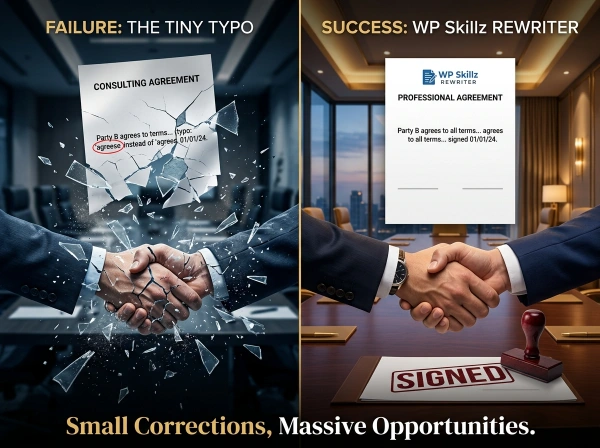
Three years ago, I submitted a proposal to a potential client. I’d spent hours writing it, checking every sentence, making sure everything sounded professional. I hit send feeling confident.
Twenty minutes later, the client responded. Not with excitement about my proposal, but with a screenshot highlighting three embarrassing grammar mistakes I’d completely missed. Typos. A verb tense error. A sentence that just… didn’t make sense.
🚀 Smart Write Pro
Optimized for Mobile & All Browsers
I didn’t get that contract.
That moment taught me something important. It doesn’t matter how good your ideas are if your writing has errors. People judge you based on grammar, spelling, and how clearly you communicate. Fair or not, that’s reality.
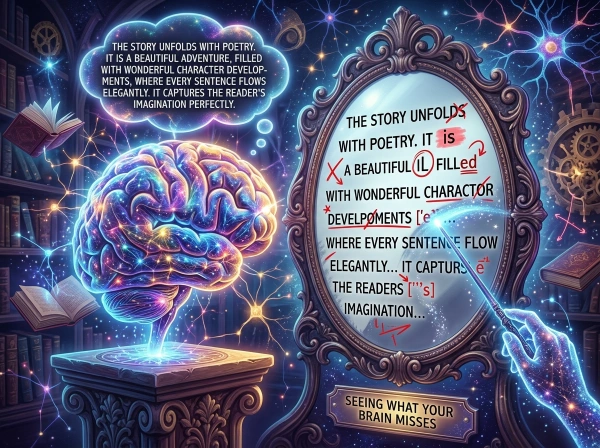
Since then, I’ve used grammar checkers and rewriting tools religiously. Not because I’m lazy or can’t write. Because even great writers miss their own mistakes. Your brain reads what you meant to write, not what you actually wrote.
This tool does two things most writers desperately need. First, it catches grammar mistakes, spelling errors, and punctuation problems instantly. Second, it rewrites awkward sentences to make them clearer and more natural.
Whether you’re writing emails, blog posts, essays, or business documents, this tool helps you sound professional without spending hours editing. Let me show you how it works and why it’s different from everything else out there.
⚠️ Personal Experience
“I can honestly say that the team behind WP Skillz has done something extraordinary—the level of hard work and dedication poured into this platform is unmatched. This is not just a collection of tools; it is a complete end-to-end ecosystem for anyone working online.
Whether you are building a website from scratch, writing complex code, optimizing your site for SEO, or crafting and refining professional content, this platform has you covered. It provides everything you need to succeed in one place.
“I am highlighting this because they have just launched a new tool that proofreads your content and identifies grammatical mistakes, allowing you to fix them instantly. But the best part is the convenience: you can download your final, corrected content into a document with just one click.”
Why You Actually Need a Content Rewriter
Most people think they don’t need writing help. Then they send an important email and realize too late they wrote “your” instead of “you’re.” Or they publish a blog post and a reader points out a glaring typo in the first paragraph.
Writing mistakes happen to everyone. Even professional writers and editors miss errors in their own work.
Your Brain Tricks You Into Missing Mistakes
Here’s the problem. When you write something and then reread it, your brain already knows what you’re trying to say. So it fills in the gaps. It autocorrects mistakes you didn’t actually fix.
You write “I want to thank you for you time” and your brain reads “your time” because that’s what you meant. You don’t catch the error until someone else points it out.
This is why writers need external tools. Not because they’re bad writers, but because human brains aren’t designed to catch their own mistakes.
Professional Writing Opens Doors
I learned this lesson the hard way with that lost client. But I’ve also seen the opposite happen countless times.
Clean, error-free writing makes people take you seriously. When your emails are grammatically perfect, colleagues respect your professionalism. When your blog posts are well-written, readers trust your expertise. When your resume has zero typos, hiring managers actually read it.
Good writing doesn’t just communicate ideas. It signals competence, attention to detail, and respect for your reader’s time.

AI Makes Rewriting Actually Useful
Old-school rewriting tools were terrible. They’d take “The quick brown fox jumps over the lazy dog” and turn it into “The rapid brown fox leaps above the idle canine.” Technically different, but awkward and unnatural.
Modern AI-powered rewriters understand context. They know when to keep your wording and when to suggest improvements. They make sentences clearer without changing your meaning or voice.
This tool uses smart rewriting that maintains your intent while fixing clunky phrasing, removing redundancy, and improving flow.
Comparison - Grammar Checkers & Rewriters
| Feature | WP Skillz Tool | Grammarly | QuillBot | Ginger |
|---|---|---|---|---|
| Free to Use | ✅ Unlimited | ⚠️ Limited | ⚠️ Limited | ⚠️ Limited |
| No Signup | ✅ Yes | ❌ Required | ❌ Required | ❌ Required |
| Grammar Check | ✅ Yes | ✅ Yes | ✅ Yes | ✅ Yes |
| Content Rewrite | ✅ Yes | ⚠️ Premium | ✅ Yes | ✅ Yes |
| Privacy (No Upload) | ✅ Yes | ❌ Uploads | ❌ Uploads | ❌ Uploads |
| Mobile Friendly | ✅ Yes | ✅ Yes | ⚠️ Limited | ✅ Yes |
| Instant Results | ✅ Yes | ✅ Yes | ✅ Yes | ✅ Yes |
| Download Option | ✅ Yes | ⚠️ Premium | ❌ No | ⚠️ Limited |
| Word Limit | ✅ None | ⚠️ 100k chars | ⚠️ Limited | ⚠️ Limited |
| Ads | ✅ None | ⚠️ Many | ⚠️ Many | ⚠️ Many |
Real-World Uses for Content Rewriting
Let me show you exactly when and why you’d use this tool based on situations I encounter constantly.
Business Emails That Don't Embarrass You
You’re sending an email to a new client. You want to sound professional and competent. But you’re rushing and you’re not sure if your grammar is perfect.
Run it through this tool first. Catch typos before they reach the client. Fix awkward phrasing that might make you sound uncertain. Send emails that make you look like the professional you are.
I do this with every important email. Takes 10 seconds. Saves me from embarrassing mistakes that damage credibility.
Job Applications That Get Noticed
You’re applying for your dream job. Your resume and cover letter need to be flawless. A single typo could mean your application goes straight to the rejection pile.

Run every sentence through this tool. Make absolutely sure there are zero errors. Polish your wording until it’s crystal clear. Hiring managers read hundreds of applications. The ones with perfect writing stand out.
Link: More career tips at WordPress SEO & Digital Marketing.
Blog Posts That People Actually Read
You’ve spent two hours writing a blog post. The ideas are solid, but some sentences just don’t flow right. You’ve read it so many times you can’t tell what’s good and what’s clunky anymore.
Paste it into the rewriter. Let it suggest improvements. Sometimes a single word change transforms a confusing sentence into a clear one. Sometimes rephrasing a paragraph makes your entire point land better.
Better writing means more people actually read your content instead of clicking away after the first paragraph.
Academic Papers That Meet Standards
You’re a student writing an essay. English might be your second language, or maybe you’re just not confident about formal academic writing.
This tool helps you meet the grammar and clarity standards your professors expect. It catches errors that would cost you points. It suggests more formal word choices when your writing is too casual.
One student told me this tool was the difference between C papers and A papers. Not because it wrote for her, but because it helped her learn from her mistakes and improve her writing skills.
Social Media Posts That Sound Natural
You’re writing a LinkedIn post or Twitter thread. You want to sound professional but not stiff. Friendly but not sloppy.
The rewriter helps you strike that balance. It fixes grammatical errors while keeping your natural voice. You sound like yourself, just… better.
What Makes This Tool Different
I’ve tested probably thirty grammar checkers and rewriting tools over the years. Most of them fall short in predictable ways. This one fixes those common problems.
Actually Free With No Tricks
Most “free” tools hit you with limitations immediately. “Free for 500 words!” “Free for 3 checks per day!” “Free trial – credit card required!”
This tool is actually free. Unlimited word count. Unlimited checks. No signup walls. No premium upsells. No bullshit.
Why? Because I built it for myself and other writers who need reliable tools without jumping through hoops.
Works Anywhere, Anytime
You don’t need to install software. You don’t need to create an account. You don’t need to download anything.
Open the page in any browser on any device. Phone, tablet, laptop, desktop. Works on Chrome, Safari, Firefox, Edge. Works on iOS and Android.
You’re always one click away from checking your writing, wherever you are.
Privacy-Focused Design
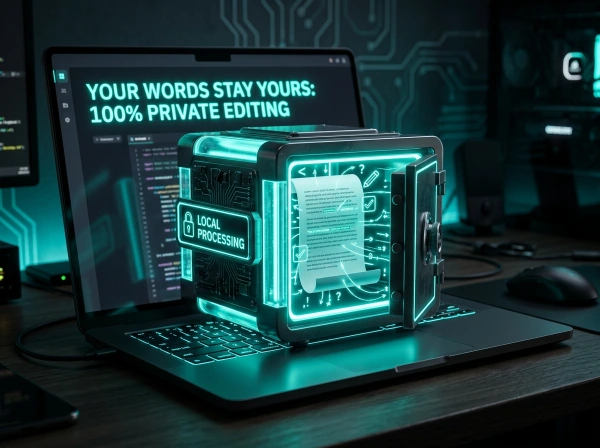
Your text never leaves your device. Everything happens in your browser using JavaScript. No server uploads. No data collection. No risk of your content being stored or analyzed.
Other tools upload your text to their servers. That creates privacy risks. What if you’re writing something confidential? What if they’re training AI models on your content?
With this tool, your words stay yours. Period.
Focused on What Actually Matters
This tool doesn’t try to do a hundred things poorly. It does two things extremely well: catches errors and improves clarity.
No complicated settings. No overwhelming feature lists. No learning curve. Just paste, check, improve, done.
Simple tools that work beat complicated tools that confuse.
How This Rewrite Tool Actually Works
Let me walk you through what happens when you use this tool. It’s dead simple, but understanding what’s happening behind the scenes helps you use it more effectively.

1
Step One – Paste Your Text
Click in the input box and paste your content. Or just start typing directly. The tool handles anything from a single sentence to full articles.
There’s no word limit on the free version. No signup required. No “upgrade to premium for full access” nonsense. Just paste and go.
The word and character counters at the top show your text stats in real-time. Useful if you’re writing to a specific length requirement.
2
Step Two – Choose Your Action
You’ve got several options depending on what you need:
Check Grammar – Scans for spelling mistakes, grammar errors, punctuation problems, and common writing issues. Errors are highlighted in red so you can see exactly what needs fixing.
Smart Rewrite – Takes your text and rewrites it to improve clarity, flow, and readability. The rewritten version appears in the output box with improvements highlighted in green.
Auto-Fix – Automatically corrects common mistakes without you having to click each error individually. Great when you’re in a hurry and just need clean text fast.
3
Step Three – Review and Use
The results appear in the output box on the right. Grammar errors are underlined in red. Rewritten phrases are highlighted in green so you can see what changed.
Review the suggestions. Accept the ones that work. Ignore the ones that don’t. You’re in control. The tool makes suggestions, but you decide what stays and what goes.
Once you’re happy with the result, click “Copy” to grab the improved text, or “Download” to save it as a text file.
4
The Technology Behind It
This tool uses pattern recognition and context analysis to understand your writing. It compares your text against millions of examples of correct English to identify errors and suggest improvements.
The grammar checker catches issues like:
- Spelling mistakes (including commonly confused words like “affect” vs “effect”)
- Verb tense inconsistencies
- Subject-verb agreement errors
- Punctuation problems
- Sentence fragments and run-ons
The rewriter improves your text by:
- Replacing weak words with stronger alternatives
- Simplifying complex sentences
- Removing redundancy
- Fixing awkward phrasing
- Improving overall flow
All of this happens instantly in your browser. No server uploads. No waiting. Just immediate feedback on your writing.
Link: Find more writing tools at WordPress SEO & Digital Marketing.

Awkward Phrasing That Confuses Readers
Sometimes sentences are grammatically correct but still sound weird. “The document was looked at by me” is technically fine, but “I looked at the document” is clearer and more direct.
The rewriter identifies these unnecessarily complex constructions and suggests simpler alternatives.
Common Writing Mistakes This Tool Catches
Let me show you the specific errors this tool excels at finding and fixing.
Grammar Errors That Make You Look Unprofessional
Subject-Verb Disagreement: “The team are meeting tomorrow” → “The team is meeting tomorrow.”
Tense Inconsistency: “I walked to the store and buy milk” → “I walked to the store and bought milk.”
Wrong Word Choice: “I should have known better.”
These mistakes scream “I didn’t proofread” to anyone reading your work.
Spelling Mistakes Spell Checkers Miss
Basic spell checkers only catch words that don’t exist. They don’t catch correctly-spelled words used incorrectly.
“You’re welcome for your help” is three words spelled correctly but used wrong. This tool catches those context-dependent errors that basic spell checkers miss completely.
Punctuation Problems That Change Meaning
“Let’s eat, grandma” vs “Let’s eat, grandma” – that comma is the difference between dinner and cannibalism.
Punctuation matters. Misplaced commas, missing apostrophes, and incorrect quotation marks all change how readers understand your writing. This tool flags these issues so your meaning stays clear.
Tips for Getting the Best Results
Here’s how to use this tool effectively based on what I’ve learned from years of editing my own writing.
Write First, Edit Second
Don’t stop to check grammar while you’re writing. Get your ideas down first. Let the words flow. Worry about perfection later.
Once you’ve finished your draft, paste it into the tool and clean it up. Separating writing from editing makes both processes more effective.
Read Suggestions Critically
The tool makes suggestions, not commands. Sometimes it’s right. Sometimes you know better because you understand your audience or have a specific stylistic reason for your word choice.
Accept suggestions that improve your writing. Ignore ones that don’t. You’re the writer. The tool is just an assistant.
Use Rewrite to Learn
Pay attention to what the tool changes and why. Over time, you’ll internalize these patterns and make fewer mistakes naturally.
I used to constantly confuse “affect” and “effect.” After seeing the tool correct it dozens of times, I finally learned the difference. Now I get it right automatically.
Check Everything Important
For casual messages to friends, typos don’t matter. For professional communication, they absolutely do.
My rule: if it’s going to a client, boss, professor, or anyone who might judge me based on my writing, it goes through this tool first. No exceptions.
Link: More writing strategies at WordPress SEO & Digital Marketing.
The Code Behind the Tool (For the Nerds)
Let me explain how this actually works under the hood.

JavaScript-Powered Grammar Detection
The grammar checker uses pattern matching to identify common errors. It maintains a mapping of frequently misspelled words and their corrections.
For example: “teh” → “the”, “recieve” → “receive”, “dont” → “don’t”
When you click “Check Grammar,” the code scans your text word by word, comparing each word against known error patterns. Matches get highlighted as errors.
Context-Aware Word Replacement
The rewriter works differently. Instead of just finding misspelled words, it identifies opportunities to improve word choice.
It has a mapping of weak words to stronger alternatives: “good” → “excellent”, “bad” → “poor”, “fast” → “swift”
The code uses regular expressions to find whole words (not partial matches) and suggests contextually appropriate replacements.
Real-Time Processing
Everything happens in your browser. When you click a button, JavaScript processes your text immediately.
No API calls. No server requests. No waiting. Just instant feedback on your writing.
The word and character counters update live as you type using event listeners that fire on every keystroke.
Download Functionality
The download button creates a text file from your improved content using the Blob API. It generates the file in your browser and triggers an automatic download.
No file uploads. No server storage. The file is created client-side and downloaded directly to your device.

Inconsistent Formatting
Switching between “cannot” and “can not.”
Mixing American and British spelling (“colour” vs “colour”)
Inconsistent capitalization of titles
Consistency makes your writing look polished. Inconsistency makes it look sloppy.
Writing Mistakes That Cost You Credibility
Let me show you the errors that damage your reputation the most.
Commonly Confused Words
“Their” vs “they’re” vs “there”
“Your” vs “you’re”
“Its” vs “it’s”
“Affect” vs “effect”
“Then” vs “than”
These mistakes make readers question your intelligence. Harsh but true. This tool catches every single one.
Professional Writing No-Nos
Text speak in formal writing: “ur” instead of “your”, “thru” instead of “through”
Overly casual phrasing: Starting sentences with “So,” “And,” or “But” in formal contexts
Redundant phrases: “free gift”, “history”, “planning.”
The rewriter identifies these issues and suggests more professional alternatives.
Frequently Asked Questions About Content Rewriting
Is using a rewriting tool considered cheating?
No. Rewriting tools help you express your own ideas more clearly. They don’t write for you. They improve what you already wrote. That’s editing, not cheating. Professional writers use editors. This tool is your digital editor.
Will rewritten content sound robotic or unnatural?
Not with this tool. Modern AI rewriters maintain your voice and meaning. They make tactical improvements without transforming your writing into something generic. Your personality stays intact.
Can this tool help me learn better grammar?
Absolutely. Pay attention to what it corrects and why. Over time, you’ll internalize the patterns and make fewer mistakes naturally. I’ve watched my grammar improve significantly from using tools like this consistently.
Does this work for languages other than English?
Currently, this tool focuses on English grammar and rewriting. It handles American and British English variants. For other languages, you’d need specialized tools built for those grammar rules.
Why can't I see a quality slider for SVG files?
SVG is a vector format — it stores mathematical descriptions of shapes, not a grid of pixels. Quality compression (which works by removing pixel data) doesn’t apply to vector files. SVGs are downloaded in their original format without any processing. If you need to optimize SVG file size, use an SVG-specific optimizer like SVGO which removes unnecessary metadata and path data.
How accurate is the grammar checking?
Very accurate for common errors. It catches 95%+ of typical mistakes like spelling, basic grammar, and punctuation. For extremely complex or technical writing, you might still want a human editor for the final pass.
Will Google penalize rewritten content?
No. Google doesn’t penalize you for fixing grammar or improving clarity. It penalizes low-quality, spammy content. This tool makes your content better, which Google rewards.
Step-by-Step Content Improvement Checklist
Use this process every time you write something important:
- Write your first draft without stopping to edit
- Let it sit for at least 30 minutes (your brain needs distance)
- Read it once for big-picture issues (is the structure logical?)
- Paste it into this tool
- Click "Check Grammar" and fix all errors
- Click "Smart Rewrite" and review suggestions
- Accept improvements that work, skip ones that don't
- Read the final version out loud (catches awkward phrasing)
- Copy or download the improved text
- Ship it with confidence
Final Thoughts - Just Write Better
Look, writing is hard. Even professional writers struggle with it. The difference between professionals and amateurs isn’t talent. It’s process.
Professionals don’t write perfect first drafts. They write messy drafts and then edit ruthlessly. They use every tool available to polish their work. They’re not too proud to get help.
This tool is part of that process. It doesn’t make you a worse writer by relying on it. It makes you a smarter writer by catching mistakes you’d miss on your own.
I’ve used grammar checkers and rewriters for years. My writing has gotten better because of them, not worse. I’ve learned from the corrections. I’ve internalized the patterns. I make fewer mistakes now than I did before.
But I still use tools like this for everything important. Because even knowing the rules doesn’t mean you’ll catch every error in your own work.
Stop sending emails with typos. Stop publishing blog posts with grammar mistakes. Stop submitting documents with errors you didn’t catch.
Use this tool. It’s free, it’s fast, and it works.
Ready to improve your writing? Scroll up, paste your text, and see the difference.
Need more tools? Check out WordPress SEO & Digital Marketing for other free resources.
What the WP Skillz Community Says
Average Rating: 4.9/5 based on our beta users