Free WordPress Tools for Developers, Bloggers & Digital Marketers
Are you worried about your business? Is it not growing, or are you struggling to find solutions to your problems? Stop right here—this is the place where you will find the answers you have been looking for.
There are no limits, no restrictions, and no tedious login processes to deal with. You don’t have to worry about your data being hacked or compromising your privacy. Here, you will find all the essential WordPress-related tools that will not only identify your business problems but also provide you with instant solutions. We provide clear instructions, step-by-step tutorials, and even marketing guidance to help you scale.
Let’s grow together, build something great, and take a step forward to support our families and contribute to our country.
Browse Tools by Category
WordPress Website Development
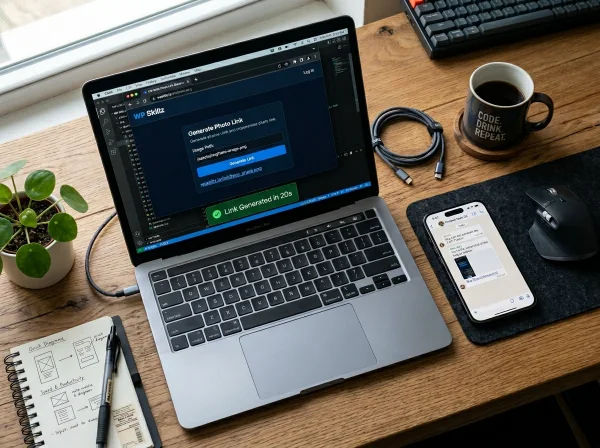
Tools for building, testing, and securing WordPress sites — domain research, speed testing, malware scanning, responsive checking, and live code editing.
Built for: WordPress developers, freelancers, and agency owners managing client sites.



WordPress SEO & Digital Marketing
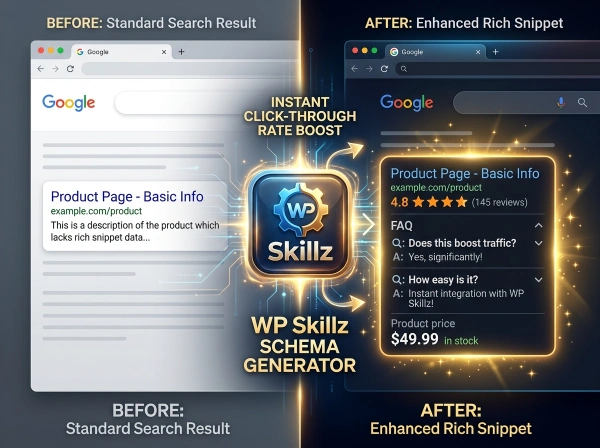
Tools for keyword research, content creation, AI detection, schema markup, and image optimization — covering the full content workflow from first draft to published post.
Built for: Bloggers, content writers, SEO professionals, and niche site owners.



Free AI Rewrite Content Tool | Grammar Checker Online
Free AI Rewrite Content Tool - Fix Grammar &...
Open ToolHow WP Skillz Tools Work
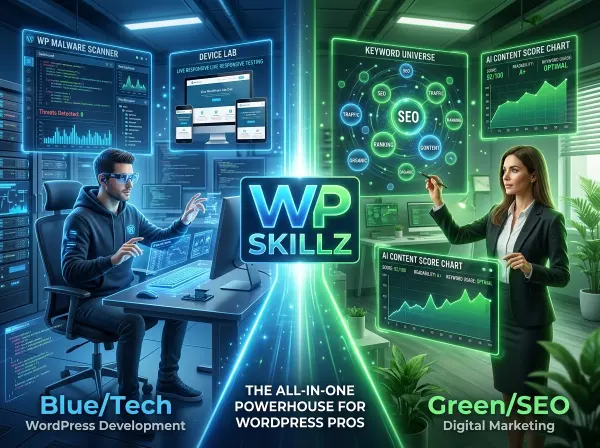
Using any tool on WP Skillz takes the same three steps. There’s no setup, no account creation, and no software to install.
Step 1 — Choose Your Tool
Browse by category or find a specific tool using the search bar. Every tool is labeled with what it does and who it’s for. If you’re not sure which tool solves your problem, the category pages explain every tool in detail.
Step 2 — Enter Your Data
Paste text, enter a URL, upload an image, or type a keyword — depending on the tool. Most tools accept input immediately without any configuration. Where settings exist (region selector, word count, export format), they have smart defaults that work well without adjustment.
Step 3 — Get Your Results
Results appear within seconds to a maximum of 10 seconds depending on the tool. Download, copy to clipboard, export to CSV or PDF, or use the results directly. No account is needed to save or download results.
That’s the entire process. Every tool follows this pattern — input, scan, result, use.

Post-launch (responsive testing): Use the Responsive Website Checker to verify the site looks correct on 150+ device screen sizes. Essential before delivering any project to a client.
Ongoing maintenance (security): Run the Website Malware Scanner monthly on all client sites. The forensic report shows probable file locations and manual removal steps — enough to resolve most common WordPress infections without immediately escalating to a paid security service.
WordPress Development Tools — The Complete Workflow
For WordPress developers building sites for clients or managing your own installations, here’s how the development tools fit into a typical project lifecycle.
Pre-project (domain selection): Run client domain ideas through the Domain Name Finder. Check availability, RDAP data, alternative extensions, and SEO score. Export results to CSV to share with the client before registering.
During development (technology research): Use the Website Technology Checker to identify what CMS, theme, and plugins competitor sites are running. Useful for competitive analysis and for understanding client expectations when they say “I want it to look like this site.”
During development (code work): Use the Free Online Code Compiler to test HTML, CSS, and JavaScript snippets directly in the browser without switching to a local development environment. Useful for quick tests, client demos, and debugging CSS before applying to a live theme.
Post-launch (performance testing): Run the Speed Check Website tool to get PageSpeed Insights scores for mobile and desktop. Share the report with clients as a baseline before any optimization work.
WordPress SEO Tools — The Complete Workflow
For bloggers and content creators managing WordPress sites, WP Skillz tools cover the full SEO workflow from keyword research to post-publish schema. Here’s how to use them in sequence:
Before writing: Use the Semantic Keyword Generator to find your primary keyword, LSI keywords, and recommended word count. Note the search intent and use the detail modal to get the semantic keyword variation to include naturally in your content.
During writing: Use the Human Content Generator Pro to create a structural draft with meta data, table of contents, body sections, comparison table, and FAQ schema. Add your personal expertise, real examples, and genuine opinions — this is what separates your content from generic AI output.
After writing: Paste your completed draft into the SEO Content Analyzer. Check word count matches the recommendation from the keyword tool. Run the AI scan — aim for 70%+ human confidence. Use the AI Detector for a more detailed plagiarism and grammar check if submitting to a client or academic context.

Before publishing: Use the Schema Markup Generator to add the right schema for your page type. FAQ schema for informational posts. Article schema for news content. Product schema for WooCommerce pages. LocalBusiness schema if you have a physical location.
For images: Run product images or featured images through the Image Background Remover. Remove backgrounds for WooCommerce products. Compress and convert images using the Bulk Image Resizer before uploading to WordPress Media Library.

Why WordPress Developers and Bloggers Choose WP Skillz
There are hundreds of WordPress tools online. Most of them are free for one or two features and paid for everything useful. A few are genuinely fully free but limited in scope. WP Skillz is different in four specific ways.
100% Free — No Hidden Paywalls
Every feature of every tool is accessible without payment. No “free plan” that hides results. No trial that converts to a subscription. No credit card required at any step. The tools that have daily limits (AI detector, content generator) are generous enough for regular professional use — 10 scans or 10 articles per day covers most content workflows.
No Login Required
Every tool runs fully without creating an account. Open the tool URL, use it, close the tab. Nothing is stored, nothing is tracked, no email is collected. If you want to use a tool again tomorrow, just open it again. No password reset emails, no forgotten credentials.
Client-Safe Privacy
Tools that handle sensitive data — images, content drafts, client site scans — process everything either client-side (in your browser) or without storing results. The Image Background Remover is fully client-side: your images never reach any server. The malware scanner fetches public page HTML — the same HTML any browser receives — without any login to client sites required.
Free vs Paid — What You Actually Save
Most WordPress site owners don’t need enterprise tools. They need tools that work.
| Task | Paid Tool | Monthly Cost | WP Skillz | Cost |
|---|---|---|---|---|
| Keyword research | Semrush | $165 | Keyword Generator | Free |
| AI content detection | Winston AI | $18 | AI Detector | Free |
| Schema markup | Premium plugin | $49/yr | Schema Generator | Free |
| Background removal | Remove.bg | $9 | BG Remover | Free |
| Malware scanning | Sucuri | $199/yr | Malware Scanner | Free |
| Content generation | Jasper | $39 | Content Generator | Free |
That’s over $250/month in tools — replaced by tools that handle the same core tasks, free.
WordPress Tools for Beginners — Where to Start
If you’re new to WordPress development or just starting your first blog, the number of tools available can feel overwhelming. Here’s the honest beginner path — the three tools that give you the most value immediately, in the order you should use them.
Start here if you’re building a new WordPress site:
- Domain Name Finder — Before anything else, find a good domain. Check availability across multiple extensions, see the SEO score, check if similar domains are already taken. This takes 30 seconds and saves you from registering a domain you’ll regret.
- Website Malware Scanner — Once your site is live, scan it monthly. Most beginners don’t think about security until something goes wrong. A monthly scan catches problems before they affect search rankings or user trust.
- Speed Check Website — After publishing your first 5-10 pages, run a speed check. Most beginners install too many plugins and end up with slow sites before they realize it’s a problem. The speed check shows exactly what’s slowing you down.
Start here if you’re writing your first blog posts:
- Semantic Keyword Generator — Before writing anything, check if the keyword you’re targeting has realistic competition. New blogs cannot rank for high-difficulty keywords. Find the low-difficulty variations first.
- Human Content Generator Pro — Generate a structural draft for your post. Use it as a framework — add your own examples, opinions, and expertise. This prevents the most common beginner mistake: publishing content that’s structurally too weak to compete.
- Schema Markup Generator — Before you publish, add FAQ schema to your post. Most beginners skip schema entirely. This is one of the easiest ways to differentiate new content from established competitors in search results.
Most Used Online Tools
These are the tools WP Skillz users open most. Each one solves a specific, common problem — and each one is free with no account required.


Free Online Tools for Everyday Use
Use free SEO tools to find domains, research keywords, generate and rewrite content with meta data, check AI plagiarism, word count, SEO score, and create images—no login, no fees.

WordPress Tools Checklist
Run through this before publishing any WordPress content or delivering any client site:

Before writing:
- Keyword researched — difficulty realistic for your domain age
- Search intent matched to planned content format
- Target word count noted from keyword tool recommendation
Before publishing:
- Content scanned — 70%+ human confidence on AI detector
- Word count meets SEO target (800+ for informational posts)
- Schema markup added (FAQ, Article, or LocalBusiness)
- Meta title 50-60 characters, description 150-158 characters
Before site launch:
- PageSpeed score above 80 on mobile
- Responsive check passed on mobile + tablet
- Malware scan run — clean result confirmed
- All images compressed and background-removed where needed
Frequently Asked Questions
What are the best free WordPress tools for beginners?
Start with three: Domain Name Finder before registering a domain, Semantic Keyword Generator before writing your first post, and Schema Markup Generator before publishing. These cover the highest-impact beginner actions.
Do I need an account to use WP Skillz tools?
No. Every tool runs without registration. No email, no password, no account. Daily limits (10 scans for AI detection) reset automatically at midnight — no action required.
Are these tools safe for client content?
Yes. Image processing is fully client-side — files never leave your browser. Content scans are not stored after the session ends. Malware scans only fetch publicly available page HTML.
Which tool should I use first?
Depends on your problem. Starting a new site — Domain Name Finder. Writing content — Semantic Keyword Generator. Publishing content — Schema Markup Generator. Maintaining a live site — Website Malware Scanner.
Can I use these tools on mobile?
Yes. Every tool is mobile responsive. The Image Background Remover supports touch controls. All text tools work fully on phone and tablet browsers.
Is WP Skillz free forever?
Yes. No paywalls planned. Daily limits exist to prevent automated abuse, not to push upgrades. New tools are added regularly — also free.
Latest from the WP Skillz Blog
Stay updated with guides, tutorials, and honest reviews covering WordPress development, SEO strategy, and digital marketing tools. Every post is written by practicing WordPress professionals — not by AI content farms.

Start Free — No Account Needed
Whether you’re building your first WordPress site, optimizing a blog that’s been running for years, or managing a portfolio of client sites as a freelancer or agency — WP Skillz has a tool for the problem you’re solving right now.
No subscription. No account. No waiting.
Pick the category that matches your current task and start immediately.


Google Search Console for Schema Monitoring: Fix Errors & Boost Rich Results in 2026
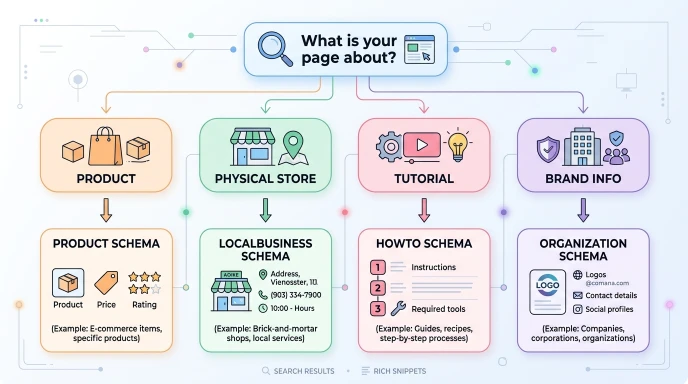
Schema Markup Types in SEO: How to Pick the Right Structured Data for Your Site in 2026

How to Find Expired Domains with Backlinks & Traffic in 2026 — The Complete Strategy Guide