Contact WP Skillz — Direct Developer Support for the WordPress Community
Are you facing any issues while using the tool, or did you love what we built and now want to create a similar tool for yourself? If so, scroll down and get in touch with us. Thanks!
General Support & Feature Requests
When a client’s site drops out of search rankings, an optimization script throws an error, or your article gets stuck in a false-positive AI detection loop, you don’t have time to deal with automated chatbots. You need an answer from a real person who knows the underlying code.
I have been building, ranking, and troubleshooting WordPress environments professionally since 2014. Over the past decade, I’ve dealt with almost every technical headache imaginable—from broken database tables and layout shifts to hidden malware injections that slip past basic site checkers.
WP Skillz was built to solve these exact problems for the web development and publishing community. Every script in our 15-tool ecosystem runs completely free, with no paywalls, no email subscriptions, and no mandatory login walls. If a utility isn’t executing properly on your device, or if you want to suggest a specific technical feature to speed up your workflow, you can reach out directly to the engineering desk.
The Troubleshooting Workflow: How to Resolve Issues Instantly
Before you drop us an email, check if your current technical issue can be resolved right now through our specialized web utility nodes:
Fixing AI & Linguistic Flags: If your content is triggering security filters, paste the text into our SEO Content Analyzer or standalone AI Detector to balance sentence length variance and lexical density before publishing.
Fixing Core Web Vitals & Layout Shifts: For rendering delays, visual shifts, or mobile scaling bugs, run your URL through the Speed Check Website or Responsive Website Checker to identify problematic CSS elements or viewport issues.
Fixing Malware & Script Failures: If your site experiences a sudden traffic drop, run an external audit with our Website Malware Scanner to pull the public page HTML and review the forensic report.
Direct Communication Channels & Response Expectations
We operate on a lean, privacy-first infrastructure. WP Skillz does not retain your text blocks, images, or personal details on any external database server. Every support message is read and answered by a real developer.
Whatsapp Number
+923040693356
wpskillzbrand@gmail.com
Address:
PAKISTAN
Frequently Asked Questions (Technical & Integrity Audits)
1. Why is my completely human-written content showing a high AI probability score?
Linguistic classifiers calculate statistical patterns, not truth. AI models typically generate highly predictable word sequences (low perplexity) and uniform sentence lengths (low burstiness). If your technical document or essay relies on formal, uniform grammar, the detector might mistake that precision for automation. You can naturally fix this by shifting to a conversational tone, varying your sentence lengths significantly, and adding direct first-person perspective markers.
2. How does the Website Malware Scanner check my site without backend access?
To maintain complete data integrity, our scanner performs a remote external forensic audit on the target URL’s public footprint. It downloads the publicly accessible page HTML, traces script references, and flags suspicious external code injections. It alerts you to vulnerabilities safely from the outside, without ever requiring your WordPress admin password or altering your server files.
3. Why am I hitting a daily limit on certain free optimization tools?
While every tool on this platform is completely free, utilities that run heavy client-side memory loops—like the Human Content Generator Pro and the AI Detector—have a fair-use limit of 10 executions per 24 hours. This cap is tracked purely inside your own browser tab via localStorage. This basic safeguard keeps the platform responsive for real creators and prevents automated scrapers from exhausting server resources.
4. Are my uploaded images or text passages safe from being stored or tracked?
Yes. Our platform is built on a strict privacy-first design philosophy. Heavy media rendering utilities, including the Image Background Remover, Free Image URL Generator, and Bulk Image Resizer, function completely inside your local browser tab using HTML5 Canvas and local processing APIs. Your media files and draft strings are never transmitted to an external server, keeping your client work 100% confidential.
5. Can I suggest a new country filter or schema type for your toolkit?
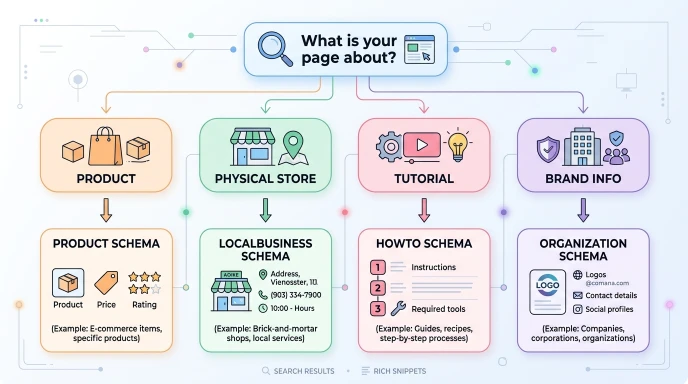
Absolutely. We prioritize updates based directly on developer feedback. For instance, our Semantic Keyword Idea Generator includes specific regional endpoints for South Asian markets (like Pakistan and India) because our core user base requested accurate local search intent trends. If you need a specific schema modification or regional database layer added to our tool updates, just email our engineering desk.
6. Do you offer manual site repair or custom technical SEO consulting?
The entire tool stack on WP Skillz is completely free for individual creators and digital teams. However, because complex optimization sometimes requires human hands, our team selectively takes on specialized technical projects for external agencies, e-commerce brands, and publishers. If you require advanced speed optimization scripts, custom enterprise schema configurations, or manual malware cleanup, you can contact our consulting desk to discuss a professional partnership.
WP Skillz — Built by WordPress professionals, maintained for the global developer and publishing community.
Tools Blogs & Tutorials