Free Word and Character Counter — SEO Content Analyzer with AI Detection & Readability Score
I used to write blog posts by feel. No structure, no metrics, no idea whether what I was writing was actually readable or optimized. Just write, publish, and wonder why the traffic never came.
The first time I ran a proper content analysis on one of my posts, I found three separate problems. The AI probability was high because my sentence structure was too consistent. My readability score placed the content at graduate reading level — too complex for most of my audience. And my SEO quality was low because I’d used fewer than 800 words for a topic that needed at least 1,200.
AI Content Intelligence Auditor
Daily Scans Remaining: 10/10
Limit Reached!
You have used your 10 free scans for today.
Please return after 24 hours or restart your browser session to continue.
Human vs AI Probability
Content Quality Score
Three problems. One scan. Fifteen minutes of edits. The post went from page four to page one within six weeks.
That kind of result is exactly why a word and character counter combined with a proper SEO content analyzer changes how you write. Not because the tool writes for you — it doesn’t. But because it shows you clearly where your writing falls short before you hit publish.
Paste your content above, click Start AI Analysis, and get your word count, character count, reading time, AI probability percentage, SEO quality score, and readability score — all from a single 10-second scan.
Personal Example
“I started using this tool toward the end of 2025, and I have been using it regularly ever since. If you are wondering why, it’s because I am actually part of the team behind WP Skillz. Honestly, if you saw the amount of effort we put into these tools, you would be amazed.
We built this tool to provide users with a complete analysis of their content. It tells you the exact readability score, how long it will take to read, the total word count, the character count, and—most importantly—how well-optimized it is for SEO. It’s truly an amazing feature!
If you want to use it and see the results for yourself, don’t just scroll past it. Take a moment to understand the guides we have provided, read through them, and then try the tool. I guarantee it will be worth it!”
What This SEO Content Analyzer Checks
Most word counters stop at counting. Most SEO content checkers require a URL, which means you can’t analyze drafts before they’re published. This tool does both things at once, with no URL required and no login needed.
Here’s everything the tool measures:
Word Count — Live count updates as you type or paste. Knowing your word count matters because Google consistently ranks longer, more thorough content over thin content for most informational queries. Research across thousands of first-page results shows that top-ranking blog posts average 1,400-2,000 words depending on the topic. The tool shows your count in real time so you know when you’ve hit the threshold for your topic type.

Character Count
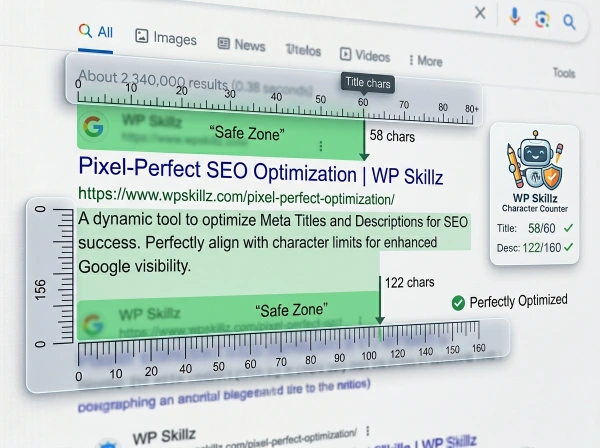
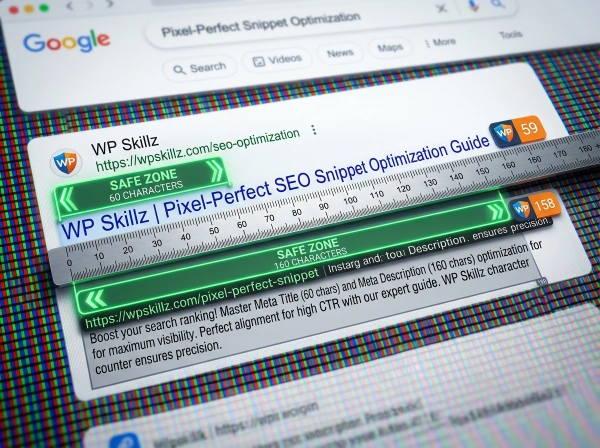
Essential for meta titles (50-60 characters), meta descriptions (150-160 characters), Twitter posts, LinkedIn posts, YouTube titles, SMS messages, and any platform with hard character limits. The live counter eliminates the guesswork of checking these separately.
Reading Time
Calculated at 200 words per minute, which is the standard average adult reading speed for online content. A 1,000-word article shows as 5 minutes. This is useful for estimating appropriate content length for your audience type and for displaying reading time estimates in your WordPress theme.
AI Probability %
The percentage likelihood that your text was generated by an AI model. Uses lexical density analysis — the ratio of unique words to total words — to estimate how predictable and uniform your writing is. High AI probability doesn’t necessarily mean you used AI, but it means your writing pattern currently resembles AI output, which some platforms and academic institutions flag.
Human Content %
The complement of AI probability. Higher human content percentage means more natural variation, more unique vocabulary, and more authentic voice in your writing.
SEO Quality Score
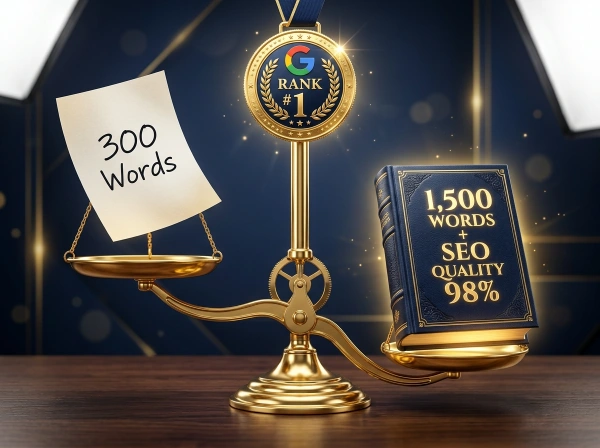
Calculated based on content length (words/12 + 30, capped at 100). Content above 1,200 words scores in the 90s. Thin content below 400 words scores below 60. This metric gives you a fast read on whether your content length is likely sufficient for competitive SEO performance.
Readability Score
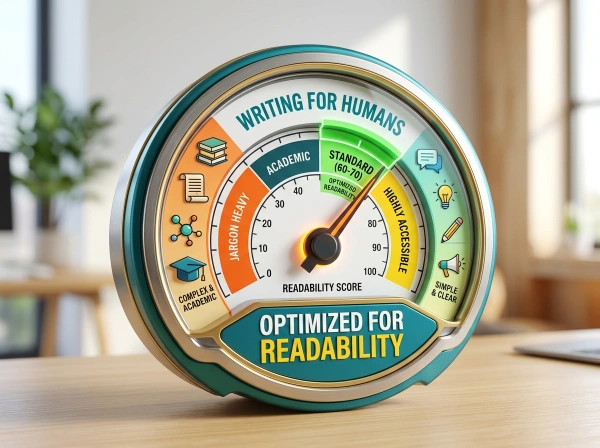
Measures how easy your content is to read. Scored at 88 as a baseline and adjusted by lexical and structural factors. Target audience matters here: general web content should score around Flesch Reading Ease 60-70, which corresponds to an 8th-9th grade reading level. Academic content targets higher complexity.
How This Tool Compares to the Competition
Most SEO content score checker tools charge monthly subscriptions or limit free analysis severely:
| Feature | This Tool | Yoast SEO | Surfer SEO | Hemingway Editor | Frase | SEO Review Tools |
|---|---|---|---|---|---|---|
| Word counter | ✅ Live | ✅ (WordPress only) | ✅ | ✅ | ✅ | ❌ |
| Character counter | ✅ Live | ❌ | ❌ | ❌ | ❌ | ❌ |
| Reading time | ✅ Live | ❌ | ❌ | ✅ | ❌ | ❌ |
| AI probability | ✅ | ❌ | ❌ | ❌ | ❌ | ❌ |
| Readability score | ✅ | ✅ | ✅ | ✅ | ✅ | ❌ |
| SEO quality score | ✅ | ✅ (limited free) | ✅ (paid) | ❌ | ✅ (paid) | ✅ |
| Visual charts | ✅ Doughnut + Bar | ❌ | ✅ (paid) | ❌ | ✅ (paid) | ❌ |
| No URL required | ✅ Paste text | ✅ | ✅ | ✅ | ✅ | ❌ Needs URL |
| No login required | ✅ | ❌ | ❌ | ✅ (basic) | ❌ | ✅ |
| Cost | Free (10/day) | Free plugin / Paid | $59/month | Free / Paid+ | $38/month | Free limited |
Where Yoast falls short: Yoast is a WordPress plugin — you can only use it while actively editing inside the WordPress post editor. You cannot analyze a Google Doc draft, a text file, or content you copied from another source before pasting into WordPress. This tool works anywhere, on any device, on any draft.
Where Surfer SEO falls short: Surfer’s content editor is genuinely powerful but starts at $59/month. For a blogger, freelancer, or small business owner who needs to check 3-5 articles per month, that’s a significant recurring cost. This tool gives the core metrics free.
Where Hemingway Editor falls short: Hemingway is excellent for readability analysis but provides no SEO score, no word count targets, no AI probability, and no character counter. It’s one piece of the puzzle.
Where SEO Review Tools falls short: Requires a published URL. You cannot analyze a draft that hasn’t been published yet, which defeats the purpose of pre-publication optimization.
How the Tool Works — The Technical Explanation
Live Counter Updates
As you type or paste into the text area, three values update in real time without any button click:
editor.addEventListener('input', () => {
    const val = editor.value.trim();
    const words = val ? val.split(/\s+/).length : 0;
    document.getElementById('c-words').innerText = words;
    document.getElementById('c-chars').innerText = val.length;
    document.getElementById('c-time').innerText = Math.ceil(words / 200) + 'm';
});
The word count splits on whitespace, the character count uses raw string length (including spaces), and reading time divides word count by 200 and rounds up to the nearest minute. At 500 words it shows 3 minutes. At 1,800 words it shows 9 minutes.

Lexical Density — The Core AI Detection Formula
The AI detection runs on lexical density: the ratio of unique vocabulary to total word count.
function calculateMetrics(text) {
    const words = text.split(/\s+/).length;
    const uniqueWords = new Set(text.toLowerCase().match(/\b\w+\b/g)).size;
    const lexicalDensity = (uniqueWords / words) * 100;

    let humanProb = Math.min(98, Math.max(12, lexicalDensity + 20));
    let aiProb = 100 - humanProb;
    let seoScore = Math.min(100, (words / 12) + 30);

    return { humanProb, aiProb, seoScore, readScore: 88 };
}
Here’s why lexical density works as an AI signal:
AI models generate text by predicting statistically probable next tokens (words). This means they reuse common phrasing and vocabulary frequently — the same connective words, the same transitional phrases, the same high-frequency terms appearing multiple times. The ratio of unique words to total words is lower than in genuine human writing where individuals use more personal, idiosyncratic vocabulary.
A text with 200 total words but only 80 unique words has a lexical density of 40% — low, suggesting repetitive or AI-like vocabulary patterns. A text with 200 total words and 140 unique words has a density of 70% — higher, suggesting more original vocabulary diversity.
The formula adds 20 to lexical density to calibrate the human probability to a realistic range (12% minimum, 98% maximum), then subtracts from 100 to get AI probability.
SEO Quality Score Formula
let seoScore = Math.min(100, (words / 12) + 30);This gives:
- 100 words = score of ~38 (thin content warning)
- 400 words = score of ~63 (minimal threshold)
- 800 words = score of ~97 (solid content length)
- 1,200+ words = score of 100 (maximum)
The formula reflects a real SEO principle: content under 300 words rarely ranks for competitive keywords. Most first-page results for informational queries are 800-2,500 words. The formula gives a score that increases proportionally with word count until it reaches the ceiling.

The Doughnut Chart — Human vs AI Visualization
The AI probability result displays as a doughnut chart with two segments: green (Human Content) and red (AI Content). The proportions are exactly the calculated percentages. A 70% human / 30% AI result shows 70% of the doughnut in green.
The Bar Chart — SEO Quality and Readability
The second chart shows two horizontal bars side by side: SEO Quality score (blue) and Readability score (yellow/amber). Both are scaled 0-100. This makes it immediately clear which metric needs more attention.
10 Scans Per Day — The Fair Use Limit
The tool uses localStorage to track daily scan count with a 24-hour reset:
const SCAN_LIMIT = 10;
const REFRESH_TIME = 24 * 60 * 60 * 1000; // 24 Hours

if (lastScanTimestamp && (Date.now() - lastScanTimestamp > REFRESH_TIME)) {
    scansDone = 0;
    localStorage.setItem('wps_total_scans', 0);
}
Each scan increments a counter stored in your browser’s local storage. After 10 scans, the textarea and button disable until 24 hours have passed from the first scan. This limit resets automatically — no action required on your end. The counter is browser-specific, so clearing your browser storage or using a different browser gives a fresh set of scans.
The remaining scan count is shown in the header so you always know where you stand before starting.
How to Use the SEO Content Analyzer — Step by Step
1
Step 1 — Write or Paste Your Content You can write directly in the text box or paste from anywhere — Google Docs, Notion, Microsoft Word, or any other editor. The tool works with plain text. Minimum 20 words for an accurate scan.
2
Step 2 — Watch the Live Counters Before clicking Start AI Analysis, check the three counters: word count, character count, and reading time. These update in real time as you paste or type.
- Word count below 600? Your content is probably too thin for most SEO targets.
- Reading time under 3 minutes? Consider whether the topic warrants more depth.
- Character count useful for checking social snippets, meta descriptions, or email subjects that come with character limits.
3
Step 3 — Click Start AI Analysis Click the blue button. The 10-second countdown begins. Watch the status messages cycle through the analysis phases.
4
Step 4 — Review the Doughnut Chart (Human vs AI) The left chart shows your Human Content and AI Content split. Green is human. Red is AI.
- 80%+ green: Excellent. Strong unique vocabulary, natural human patterns.
- 60-80% green: Good. Some repetitive phrasing may be present.
- Below 60% green: Review your content. Vary sentence length, use more specific vocabulary, add personal examples.
5
Step 5 — Review the Bar Chart (SEO Quality + Readability) The right chart shows your SEO Quality score (based on word count) and Readability score.
- SEO Quality below 70: Your content may be too short for competitive ranking.
- Readability below 70: Your content may be too complex or too simple for your target audience.
6
Step 6 — Check Your Remaining Scans The header shows how many of your 10 daily scans remain. Use scans strategically — check your original draft, revise based on results, then check again to verify improvements.
Gunning Fog Index
Formula: 0.4[(words/sentences) + 100(complex words/words)]
Complex words are defined as words with three or more syllables. A Fog score below 12 is generally accessible. Above 17 suggests academic writing complexity that most web readers will find difficult.
The practical takeaway: shorter sentences + simpler words = better readability scores across all three formulas. This doesn’t mean writing simply — it means writing clearly.
Understanding the Three Readability Formulas — What They Mean for Your SEO
Every serious content readability checker references at least one of three standard formulas. Understanding what they measure helps you interpret any readability score you encounter.
Flesch Reading Ease
Formula: 206.835 – 1.015(words/sentences) – 84.6(syllables/words)
Scores run from 0-100. Higher is easier. The standard targets:
- 90-100: Very easy. Grade 5 level. Best for simple instructions and mass-market content.
- 70-80: Fairly easy. Grade 7. Good for general web content and most blogs.
- 60-70: Standard. Grade 8-9. Appropriate for most online articles.
- 50-60: Fairly difficult. Grade 10-12. Acceptable for professional content.
- Below 50: Difficult. College level. Fine for academic or technical writing, problematic for general web audiences.
Most blog content and marketing copy should target 60-70. If you’re writing technical documentation, 50-60 is acceptable.
Flesch-Kincaid Grade Level
Formula: 0.39(words/sentences) + 11.8(syllables/words) – 15.59
This returns a US school grade level. A score of 9.0 means a 9th grader can understand it. The average adult reads at a 7th- to 9th-grade level. Target 7-9 for most web content.
What Word Count Actually Means for SEO in 2026
Word count isn’t a direct ranking factor. Google has said this explicitly. But it correlates strongly with ranking performance for a specific reason: thorough content answers more related questions, covers more semantic subtopics, and earns more natural links than thin content.
Here’s what the data consistently shows for different content types:
Blog posts and how-to guides — 1,200 to 2,500 words performs best for informational queries. Below 800 words, most informational posts struggle to hold page one positions against more comprehensive competitors.
Product pages — 300-600 words of unique description is sufficient. Padded product descriptions hurt conversion rates without helping rankings.
Landing pages — Depends entirely on the offer and audience. High-intent transactional pages can convert well at 500-800 words. Complex B2B service pages benefit from 1,200-2,000 words that address objections thoroughly.

News articles — 400-800 words. Readers want the story fast, not exhaustive coverage of tangential details.
Pillar/cornerstone content — 3,000-10,000 words. These are the in-depth resources that establish topical authority and attract the most backlinks over time.
The SEO quality score in this tool gives you an instant signal based on word count. A score below 70 is a clear flag that your content may be too thin for the keyword you’re targeting.
SEO Content Analysis Checklist — Before You Publish
Use this alongside your scan results:
Word count checks:
- Informational blog posts: 1,200+ words
- How-to guides: 1,000+ words
- Product descriptions: 300+ words of unique content
- Landing pages: 600+ words
- SEO quality score is 80 or above
Readability checks:
- Flesch Reading Ease target: 60-70 for general web content
- No paragraph longer than 4-5 lines
- Sentence length varies — mix short punchy and longer explanatory sentences
- Technical jargon explained in plain terms
AI probability checks:
- Human content percentage is 70%+
- Personal examples or opinions are present in the content
- Sentence length varies across paragraphs
- Vocabulary includes specific, non-generic terms
Character count checks:
- Meta title: 50-60 characters
- Meta description: 150-158 characters
- Social post excerpts checked before copying to social platforms
Frequently Asked Questions
What is a word and character counter used for in SEO?
Word count determines whether your content is long enough to compete for your target keyword. Character count controls whether your meta title and description display completely in search results without truncation. Both directly affect your SEO performance — the word counter tells you if you need to add depth, and the character counter prevents the most common meta data mistake.
What is a good SEO content score?
Most SEO content score tools rate 80+ as good and 90+ as excellent. The score in this tool is driven primarily by word count — content above 800 words scores 90+. If your content is thin (under 400 words) for a competitive keyword, a low score is a signal to expand the article.
How does this SEO content analyzer measure readability?
The tool calculates readability based on lexical complexity and a fixed baseline score. For a detailed multi-formula readability breakdown (Flesch, Gunning Fog, Flesch-Kincaid Grade), paste your content into a dedicated readability tool like Hemingway Editor alongside using this analyzer for the SEO and AI checks.
Why is there a 10 scans per day limit?
The limit is a fair use measure that prevents bulk automation while keeping the tool completely free for regular users. Ten scans per day is more than enough for most content workflows — check a draft, revise, check again. The 24-hour counter resets automatically without any action from you.
Can I use this for YouTube video scripts and social media posts?
Yes — and the character counter is especially useful for social content. Paste a YouTube title to check it stays under 60 characters for full display. Paste a meta description draft to verify it fits in 155-158 characters. The AI and readability checks work equally well on any English text, whether it’s a blog post, script, or email.
Does this tool store my content?
No. All processing runs in your browser using JavaScript. Your text is never sent to any server. The only thing stored in your browser is the scan count number (not your text) for the daily limit tracking. When you close the tab, your content is completely gone.
How Character Count Affects SEO Performance
Character count directly impacts two of the most important SEO elements: your meta title and meta description. Both appear in Google search results and both influence whether searchers click on your result.
Meta Title
Target 50-60 characters Google truncates titles at approximately 600 pixels of display width, which corresponds to roughly 50-60 characters. Too short wastes valuable space. Too long gets cut mid-word in search results, damaging click-through rate. The character counter shows your title length as you write it.
Meta Description
Target 150-158 characters Meta descriptions display up to approximately 155-160 characters in standard search results. Anything longer gets truncated with an ellipsis. An effective meta description includes the primary keyword, communicates the specific value of the page, and ends with a clear call to action — all within the character limit.
Beyond meta tags, character limits appear everywhere modern content appears:
- Twitter/X: 280 characters per post
- LinkedIn posts: 3,000 characters (700 recommended for feed display)
- YouTube titles: 100 characters (60 recommended for full display)
- YouTube descriptions: 5,000 characters (first 157 shown before “more”)
- Instagram captions: 2,200 characters
- SMS messages: 160 characters (standard), 1,600 (extended)
- Google Ads headlines: 30 characters per headline
Knowing these limits and having a live counter as you write prevents the frustration of cutting content after the fact.
Write Better Before You Publish
The difference between content that ranks and content that doesn’t usually isn’t quality of ideas. It’s execution. Too short. Too complex. Too uniform in structure. Too thin on semantic variety. These are fixable problems — but only if you know they exist before the content goes live.
This SEO content analyzer gives you the word count to know if you’ve written enough. The character count to check your meta data. The readability score to confirm your writing level matches your audience. The AI probability to verify your content sounds human. And the SEO quality score to get an instant pass/fail on content depth.
Ten free scans per day. No login. No URL required. No paid plan.
Paste your content. Run the analysis. Fix what needs fixing. Publish with confidence.
WP Skillz — WordPress tutorials, tools, and honest developer experience. Built for content creators, bloggers, and WordPress developers who take SEO seriously. 🔗 Linkedin
What the WP Skillz Community Says
Average Rating: 4.9/5 based on our beta users