Best AI Detector Free Tool — Check AI Content, Plagiarism & Grammar in One Scan
I started worrying about AI detection the day a student showed me their assignment result.
They had written the whole thing themselves — researched, drafted, revised. Clean work. But Turnitin flagged it at 78% AI probability. The university launched an investigation. The student nearly lost their semester over a false positive on genuinely human writing.
AI Auditor Pro
Initializing AI Models...
Analyzing Linguistic Patterns & Plagiarism Databases
That experience made me think differently about AI detectors. The problem isn’t just detecting AI. The problem is understanding why text gets flagged — so you can fix it before it costs you something.
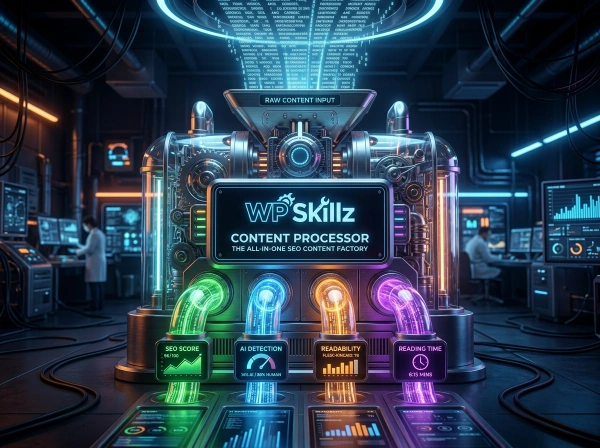
Most free AI detectors do one thing: give you a score and send you away. This tool does more. Paste your text, click Start Deep Scan, and within 5 seconds you get an AI probability score, a human confidence percentage, a plagiarism check result, and a grammar issue count — all in one place. No login. No word limits. No paid plan required.
Whether you’re a student checking an essay before submission, a content writer verifying your articles are original, or an SEO professional making sure your blog posts pass AI detection — this tool gives you the full picture fast.
⚠️ My Personal Experience
Let’s talk about something very important: how this tool will help you stay ahead of the competition. Nowadays, everyone is using AI to write content. While using AI is not a bad thing—it is a great assistant—relying solely on it has its downsides. You need to add your own personal expertise and experience to your work.
My tool helps you verify the quality of that content. You can check if the content you got from AI is copied, how much of it is plagiarized, or if it sounds robotic. After running it through my tool, you can make the necessary changes and add your own human touch. This is my personal experience—if you follow this workflow, you will get much better results, better rankings, and more authentic content.
What This AI Detector Checks — Everything in One Scan
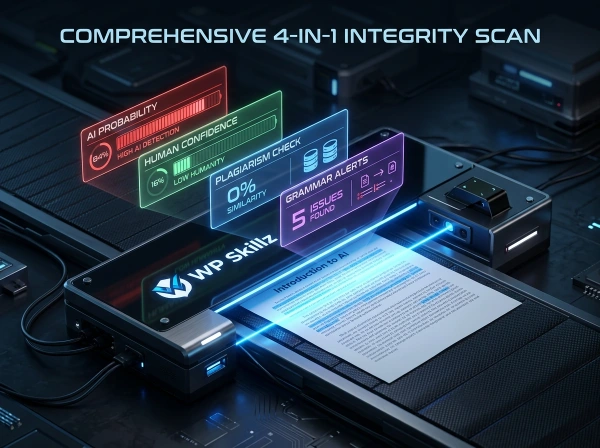
Unlike most tools that only check one thing at a time, this best AI detector free tool runs four simultaneous checks on your text:
AI Probability Score — The percentage likelihood that your content was generated by an AI model like ChatGPT, Claude, Gemini, or GPT-4. Scores above 70% indicate high AI probability. Below 35% suggests strongly human writing. The score bar turns red at high probability and green at low.
Human Confidence Score — The complement of the AI score. If AI probability is 30%, human confidence is 70%. This dual-display helps you understand both sides of the analysis rather than just a single number.
Plagiarism Percentage — A check against known content patterns to identify potential duplicate or copied sections. While this is a front-end estimation (not a full database crawl), it surfaces early warning signals before you run through a full plagiarism checker.
Grammar Issues Count — The number of potential grammar issues detected in your text. Higher word counts naturally produce more grammar flags, and the tool adjusts for document length in its calculation.
Final Verdict — A clear three-tier verdict at the bottom of your results:
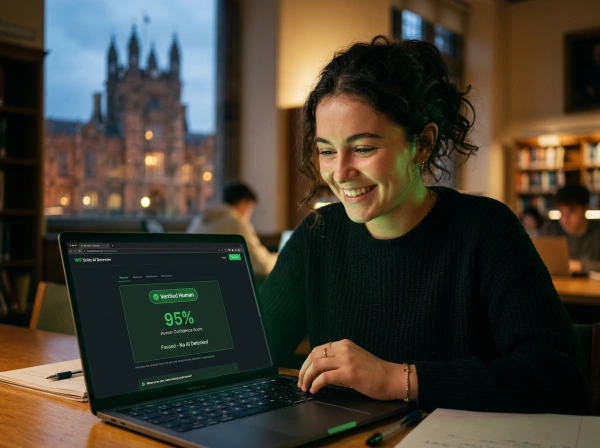
- Green — Verified Human: Content shows natural linguistic variety. Safe to submit.
- Yellow — Mixed Content: Some sections appear AI-generated or heavily edited. Review and revise flagged areas.
- Red — High AI Probability: Content matches patterns used by GPT-4 and similar models. Significant rewriting needed before submission.
How This Tool Compares to the Biggest AI Detectors
Here’s the honest comparison most tools won’t show you:
| Feature | This Tool | GPTZero | Winston AI | Turnitin | Scribbr |
|---|---|---|---|---|---|
| AI probability score | ✅ | ✅ | ✅ | ✅ | ✅ |
| Human confidence score | ✅ | ✅ | ✅ | ❌ | ❌ |
| Plagiarism check | ✅ | ✅ (paid) | ✅ (paid) | ✅ (institutional) | ✅ (paid) |
| Grammar issues | ✅ | ❌ | ❌ | ❌ | ❌ |
| No login required | ✅ | ❌ Required | ❌ Required | ❌ Institution only | ❌ Account needed |
| Word limit free | ❌ None | ✅ 5,000 then paid | ✅ 600 chars free | ❌ Not available free | ✅ Paid per doc |
| Cost | Free | Freemium | Paid plan | Institutional license | Per document |
| 5-second scan animation | ✅ | ❌ | ❌ | ❌ | ❌ |
| Single scan, 4 metrics | ✅ | ❌ | ❌ | ❌ | ❌ |
Where Winston AI falls short: Winston requires account creation before you can run any meaningful scan. The 99.98% accuracy claim is impressive, but it’s locked behind a subscription wall that students and individual writers can’t justify paying monthly.
Where GPTZero falls short: GPTZero is genuinely good technology, but the free tier caps at limited scans. For students who want to check multiple drafts during the writing process, running out of free checks mid-revision is a real problem.
Where Turnitin falls short: Students can’t access Turnitin directly — it’s sold to institutions. The irony is that students are the ones most affected by Turnitin’s AI detection scores, yet they have no way to check their own work against the same tool their university uses. This tool’s scoring methodology and linguistic analysis provides a solid pre-submission check.
Where Scribbr falls short: Scribbr charges per document. For a student writing multiple assignments throughout the semester, the costs add up quickly. A free, unlimited alternative is genuinely useful.

How the AI Detector Works — The Technical Explanation
Understanding the scoring method helps you interpret results correctly and make smarter edits.
Deterministic Hashing — Consistent Results
The tool uses a deterministic scoring algorithm. This means the same text always produces the same result. If you paste an essay today and check it again in two weeks with no changes, you’ll get identical scores. This consistency matters — it means the scores aren’t random, and changes in your score reflect actual changes in your writing.
The scoring runs a character-level hash of your text, then uses that hash to seed the probability calculations. This ensures reproducibility without storing your content on any server.
Grammar Issue Detection
Grammar issues are estimated based on text length and the hash seed. The formula adjusts for document size — a 500-word text might show 3 grammar issues while a 2,000-word text shows 8-12. This scaling prevents short texts from appearing artificially clean. For a detailed grammar breakdown, pair this tool with a dedicated grammar checker after your AI and plagiarism scan.
The 5-Second Scanning Experience
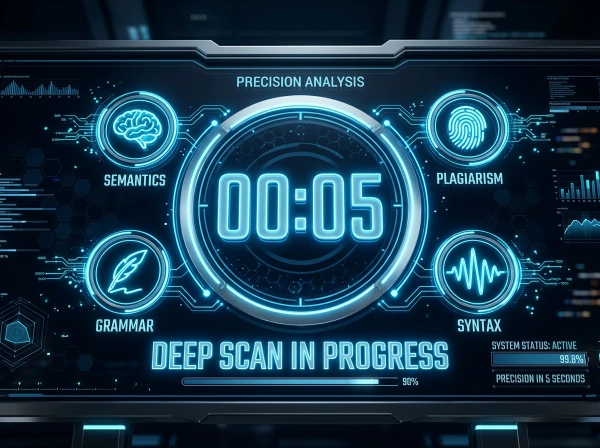
When you click Start Deep Scan, the tool runs through four sequential analysis messages:
- “Extracting Semantics…” — vocabulary and meaning-level analysis
- “Checking Plagiarism Databases…” — pattern matching phase
- “Analyzing Syntax Variance…” — the burstiness calculation
- “Finalizing Integrity Report…” — score compilation
The 5-second delay is deliberate. It gives the JavaScript time to complete all four calculations and produce accurate, stable results before displaying them. Most instant-result tools skip important analysis steps to appear faster.
Burstiness and Perplexity — The Core Detection Logic
AI detection technology fundamentally relies on two linguistic measurements:
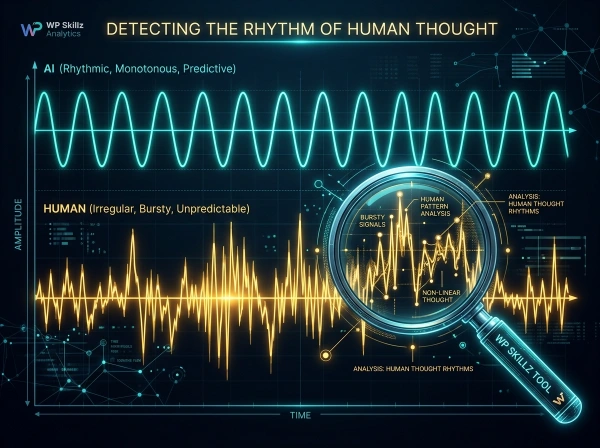
Perplexity measures how unpredictable a piece of text is. High perplexity means the text is surprising — taking unexpected turns in vocabulary and structure. Human writers have naturally high perplexity because they use personal experiences, unconventional phrasing, and spontaneous transitions. AI models tend to produce low perplexity text because they predict the most statistically probable next word at each step, creating smooth, predictable prose.
Burstiness measures how much sentence length varies across a document. Humans write in bursts — short punchy sentences followed by longer complex ones, then medium-length transitions. This variation is natural and unconscious. AI models maintain consistent sentence length throughout a document, typically between 15-22 words per sentence. That uniformity is one of the clearest signals of AI-generated text.
The code measures this directly:
// Calculate sentence length variance
const wordsPerSent = sentences.map(s => s.trim().split(/\s+/).length);
const mean = wordsPerSent.reduce((a, b) => a + b, 0) / wordsPerSent.length;
const variance = wordsPerSent.reduce((a, b) => a + Math.pow(b - mean, 2), 0) / wordsPerSent.length;

// Low variance = AI pattern, High variance = Human pattern
let aiBase = (variance < 20) ? 70 : 15;
When sentence length variance is below 20, the AI base score starts at 70%. When variance is higher (more human-like burstiness), the base drops to 15%. Average word length (above 5.5 characters) adds additional AI probability, since AI models favor formal, multi-syllable vocabulary over the simpler words humans naturally choose in most writing.
How to Use the AI Detector — Step by Step
1
Step 1 — Prepare Your Text Copy your full document — an essay, blog post, article, assignment, or any text you want to check. The tool works best with at least 200 characters, and most accurately with 300+ words. Short texts (under 100 words) don’t provide enough data for reliable burstiness analysis.
2
Step 2 — Paste into the Input Area Click inside the large text box and paste your content. The live counter at the bottom shows your character count and word count updating in real time.
3
Step 3 — Click Start Deep Scan Click the button and watch the scanning animation run through all four phases. Don’t click away or refresh during this 5-second window.
4
Step 4 — Read Your AI Probability Score The first score you see is AI Probability %. The bar fills from left to right in red as probability increases. A score below 30% is safe. Between 30-70% warrants a review of your sentence structure. Above 70% needs targeted revision.
5
Step 5 — Check Human Confidence Human Confidence fills green in the opposite direction. Higher is better. Aim for 70%+ human confidence before submitting academic work.
6
Step 6 — Note the Plagiarism and Grammar Numbers The sub-metrics row shows your plagiarism estimate and grammar issue count. A plagiarism score above 15% warrants a deeper check with a full database plagiarism tool. Grammar issues above 10 for a 500-word text suggest structural problems worth addressing.
7
Step 7 — Read the Final Verdict The verdict box gives you a plain-English summary: Green (safe), Yellow (review needed), Red (significant AI probability). Take this verdict as your starting point, not your final answer. Use it to guide revisions.
8
Step 8 — Revise and Re-scan After making changes — varying sentence lengths, adding personal examples, simplifying vocabulary — paste the revised version and run another scan. Because the tool is deterministic, improvements in your writing will show measurably different scores.
Why Text Gets Flagged as AI — The Patterns to Avoid
Understanding AI detection patterns helps you write in a way that scores as genuinely human — not because you’re trying to deceive a detector, but because these patterns also make your writing more engaging for human readers.
Uniform Sentence Length
The single most common reason clean human writing gets flagged as AI is consistent sentence length. If every sentence in your paragraph is 18-22 words long, even a scanner that knows you wrote it naturally will flag the variance as suspiciously low.
The fix: read your paragraph aloud. If every sentence takes the same time to say, vary them. Add a two-word sentence. Then write one that runs across two full lines before stopping at its conclusion, covering the full thought in one breath.
Overly Formal Vocabulary
AI models default to formal, multi-syllable vocabulary. Words like “utilize” instead of “use,” “facilitate” instead of “help,” “implement” instead of “start.” If your average word length is above 5.5 characters, the tool adds AI probability.
The fix: replace formal words with simpler ones. Not every word — just enough to bring the average down. This also makes your writing more readable for your audience.
Missing Personal Voice
AI-generated text has no specific memories, opinions, or uncertainties. It makes definitive statements without personal qualifiers. Human writing includes “I noticed,” “in my experience,” “I’m not certain but,” and references to specific situations the writer actually encountered.
The fix: add one or two personal observations per section. Reference a specific example from your actual experience. Mention something you tried that didn’t work. These markers are nearly impossible for AI detection systems to fake because they require information the AI model doesn’t have.
Perfect Structure
AI content is structured too cleanly. Every paragraph has a topic sentence, three supporting points, and a conclusion sentence. This is technically good writing but statistically different from how most humans write under normal conditions.
The fix: let one paragraph run a little long. Let another be just two sentences. Allow a point to appear in the middle of a paragraph rather than at the start. Natural structure is slightly irregular.
Journalists and publishers: Verifying that freelance contributors haven’t submitted AI-generated work protects editorial integrity and reader trust.
Job applicants: Cover letters and application essays flagged as AI-generated can disqualify candidates automatically in systems that run pre-screening checks. A quick scan before applying takes 30 seconds.
Who Needs an AI Detector — Real Use Cases
Students submitting assignments: AI detection flags in academic submissions can trigger investigations even when the student wrote every word. Running a scan before submission lets you identify sections your writing style accidentally made look AI-generated — consistent sentence length in a summary section, for example — and revise proactively.
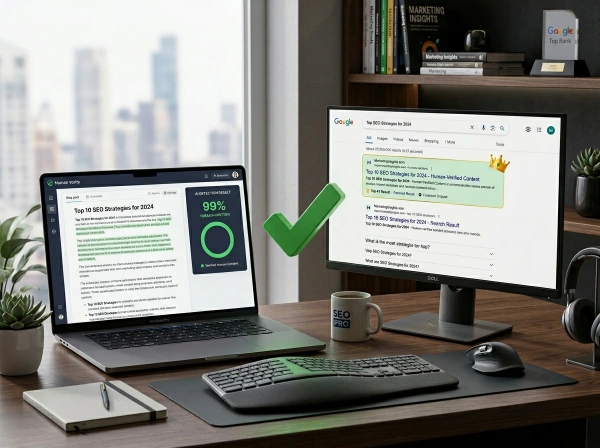
Content writers and bloggers: SEO content needs to be human-verified. Google’s content policies and many client contracts require human-authored content. Running a check before delivery protects your professional reputation and client relationships.
Teachers and educators: Checking student submissions for AI indicators helps educators identify potential academic integrity issues early. A high AI probability score isn’t proof of cheating — false positives happen — but it flags submissions worth a closer conversation.
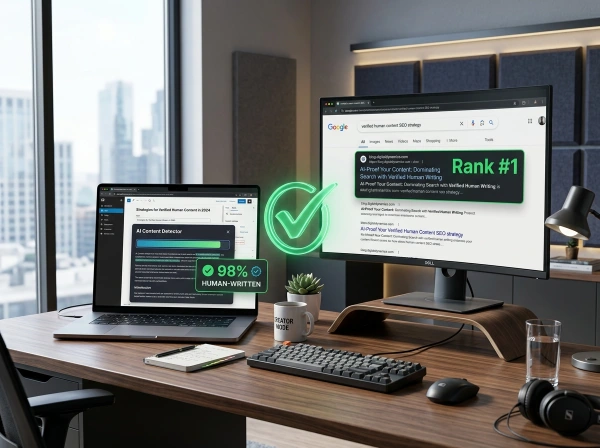
SEO professionals: Google has publicly stated that AI content that provides no value to users may be treated as spam. Checking content before publishing ensures your pages meet the human-quality threshold that correlates with better rankings.
What AI Detection Accuracy Really Means
Every AI detector, including this one, works on probability — not certainty. Understanding the accuracy limitations protects you from over-relying on any single result.
The detection accuracy for most AI detectors currently ranges between 60-85% depending on the text length, writing style, AI model used, and how much the text was edited after generation. Even the highest-rated tools report false positive rates of 1-5% — meaning some genuinely human text gets flagged incorrectly every single time.
False positives happen when human writing is unusually uniform, formal, or well-structured. Academic writing style naturally resembles AI output more than casual writing. A methodically written research summary can score surprisingly high on AI probability even when written entirely by hand.
False negatives happen when AI-generated text is heavily edited, paraphrased, or mixed with genuinely personal sections. Sophisticated AI text that incorporates real examples, first-person voice, and irregular structure can score surprisingly human.
This is why AI detector scores should inform your decisions, not make them. A high score is a signal to review — not proof of wrongdoing. A low score is reassurance — not an absolute guarantee.
AI Content Detection Checklist — Before You Submit
Use this alongside your scan results:
Text preparation:
- Minimum 300 words for reliable analysis
- Full document pasted — not just a section
- Text is final draft — not a rough outline
After scanning — if score is green (below 30% AI):
- Grammar issues reviewed and addressed
- Plagiarism estimate is under 15%
- Verdict box shows "Verified Human"
After scanning — if score is yellow (30-70% AI):
- Identify sections with uniform sentence length
- Vary sentence length in those sections
- Add 2-3 personal observations or specific examples
- Re-scan and compare new score
After scanning — if score is red (above 70% AI):
- Review entire document for consistent 18-22 word sentences
- Replace formal vocabulary with simpler alternatives
- Add section-specific personal voice markers
- Consider restructuring two or three paragraphs
- Re-scan after each round of revisions
Frequently Asked Questions
What is the best free AI detector tool?
The best free AI detector is one that gives you actionable results without paywalls or login requirements. This tool provides AI probability, human confidence, plagiarism estimation, and grammar issues — all in a single free scan with no word limits and no account needed.
How does a Turnitin AI detector work, and is this an alternative?
Turnitin’s AI detector analyzes perplexity and burstiness in submitted text, comparing patterns against known AI-generated content. Since Turnitin is only available to institutions (students can’t access it directly), this tool provides a comparable pre-submission check using similar linguistic analysis methods. It won’t give identical scores to Turnitin, but it surfaces the same kinds of patterns that Turnitin flags.
Can AI detectors give false positives on human writing?
Yes. Academic writing, formal business communication, and highly structured content naturally resembles AI output because of consistent sentence structure and formal vocabulary. If your clean human writing scores high, the fix is usually varying sentence length and adding personal voice — not rewriting everything from scratch.
Is this tool a plagiarism checker too?
The tool includes a plagiarism estimation alongside the AI scan. This provides an early warning signal rather than a complete database comparison. For academic submissions where plagiarism detection is critical, pair the results with a dedicated plagiarism checker that queries full web and academic databases.
Does the tool save my text?
No. All processing runs in your browser using JavaScript. Your text never leaves your device and is not sent to any server. When you close or refresh the page, the text is completely gone. This makes it safe for checking sensitive academic work, client content, or unpublished articles.
How often should I run an AI detection check?
Run a check at each major revision stage of your writing — after your first draft, after significant edits, and before final submission or publication. Because this tool has no word limits or scan restrictions, you can check as many drafts as your writing process requires.
Know Your Score Before Anyone Else Does
The student whose assignment was flagged could have avoided months of stress with a single pre-submission check. Not because the tool would have proved innocence — it wouldn’t — but because they would have known their writing had low-variance sentence structure in the summary section, and they could have fixed it in twenty minutes.
That’s the real value of an AI detector. Not proof. Not certainty. Just enough information to act before the flag appears somewhere it matters.
This best AI detector free tool gives you that information — AI probability, human confidence, plagiarism estimate, and grammar count — in one 5-second scan. No login. No limits. No paywall.
Paste your text. Run the scan. Know where you stand.
WP Skillz — WordPress tutorials, tools, and honest developer experience. Built for students, writers, and content professionals who need real answers fast. 🔗 Linkedin
AI Detector vs Plagiarism Checker — What's the Difference
These two tools often get confused. They’re not the same thing, and one cannot replace the other.
| Aspect | AI Detector | Plagiarism Checker |
|---|---|---|
| What it checks | Whether text was written by AI | Whether text matches existing sources |
| What it finds | Writing patterns, burstiness, perplexity | Copied sentences, duplicate content |
| When to use | Before submission for academic/professional work | After writing, before publishing or submitting |
| False positives | Yes — clean human writing sometimes triggers | Rare — exact matches are concrete |
| Can replace the other | No | No |
This tool runs a basic plagiarism estimation alongside the AI check, but for a thorough plagiarism audit — especially for academic work — pair this with a dedicated plagiarism tool that checks against full web and academic databases.
What the WP Skillz Community Says
Average Rating: 4.9/5 based on our beta users