
I am an SEO expert, and throughout my career, I have successfully ranked numerous websites. However, I always struggled to find the perfect keyword research tool. As you know, keyword research is the absolute backbone of SEO; it is the only way to uncover the exact terms that will drive traffic and rank your site on Google.
During my search for a solution, I stumbled upon a platform called WP Skillz. They have introduced a tool that completely blew me away. While most keyword engines push you toward expensive, paid data, this tool does something completely different. It captures and provides the actual, high-intent queries that real people are searching for on Google based on your core keyword. Best of all, it delivers highly accurate results. If you need to level up your search strategy, scroll down, click the link below, and try it out for yourself!
I published my first blog post in 2017. Spent three days writing it. Did proper research, good structure, no grammar mistakes. It got four visits in its first month — two of which were me.
The problem was not the writing. The problem was that nobody was searching for what I had written. I had picked a topic I found interesting, not a topic people were actively searching for. The keyword had low volume and no intent behind it. Even if I had ranked number one, the traffic would have been negligible.
That one mistake cost me three days of work and taught me the most important lesson in blogging: content without keyword research is a letter nobody receives.
In 2026, keyword research has evolved significantly. It is no longer about finding high-volume terms and repeating them as many times as possible. It is about understanding search intent, building topical authority, and choosing keywords where you have a realistic chance of ranking given your domain’s current authority.
This guide covers the complete process — from brainstorming your first seed keyword to publishing a post that Google actually sends traffic to.

Why Most Blog Posts Get Zero Traffic
Before getting into the process, it helps to understand why the majority of blog content fails to attract organic traffic.
The main reason is not writing quality. It is not even SEO optimization. It is topic selection. When bloggers choose topics based on what they want to write about — rather than what their audience is actively searching for — they create content with no organic demand. The post exists, but nobody is looking for it.
The second reason is competition mismatch. A new blog with no domain authority targeting a keyword with difficulty 80 will never rank, regardless of content quality. The keyword may have genuine search demand, but the competition is inaccessible for a site in its first year.
The keyword research process solves both problems — it finds topics people are actually searching for, then filters them for realistic competition levels.
Step 1 — Brainstorm Seed Keywords Strategically
A seed keyword is a broad topic that you expand into specific long-tail targets. If your blog covers WordPress, your seed keywords might be “WordPress plugins,” “WordPress speed,” or “WordPress security.”
Brainstorming seed keywords is not complicated. What requires strategy is finding the specific angles within those seeds that represent genuine search demand without intense competition.
Three sources that surface real long-tail opportunities:
Reddit and Quora: Search your seed keyword on Reddit. Look at the questions getting the most upvotes and comments. Questions with high engagement represent genuine confusion that many people share — and a question that lots of people ask on Reddit is often a question lots of people type into Google. “What is the best water-to-coffee ratio for an Aeropress?” is a real long-tail keyword because real people are asking it.
“People Also Ask” in Google: Search your seed keyword. The PAA boxes are Google telling you exactly what related questions its users ask. Each PAA question is a potential article topic. Click on one — more questions expand. This can generate dozens of long-tail ideas from a single seed.
Competitor content gaps: Find the top five blogs in your niche. Look at what topics they have covered. More importantly, look at what they have not covered, or have covered poorly — short, thin articles that clearly do not fully address the topic. Those gaps are your ranking opportunities.
Step 2 — Understand Search Intent Before Targeting Any Keyword
Search intent is the single most important factor in keyword selection — more important than volume, more important than difficulty. Getting intent wrong means your content will not rank even if it is technically excellent.
Google classifies searches into four intent types. Matching your content format to the correct intent type is non-negotiable.
Informational intent: The user wants to learn something. Keywords like “how to,” “what is,” “guide to,” “tutorial for.” Write detailed how-to posts, comprehensive guides, or educational articles. This is where most blog content belongs.
Commercial investigation intent: The user is comparing options before making a decision. Keywords like “best,” “vs,” “review,” “alternatives to,” “top 10.” Write comparison articles, product reviews, or detailed evaluations. If you write a how-to guide for a commercial investigation keyword, you will not rank — Google knows what format the user wants.
Transactional intent: The user is ready to act. Keywords like “buy,” “download,” “get,” “sign up for,” “price of.” Write landing pages, product pages, or download pages. A blog post does not satisfy this intent.
Navigational intent: The user is looking for a specific brand or website. These keywords are dominated by the brand itself — targeting them as a third party rarely works.
How to check intent before writing:
Search your target keyword in Google. Look at the top five results. What format are they? Long-form guides, short lists, product pages, YouTube videos? Whatever format dominates the first page is what Google has determined matches user intent. Build your content in that format.
Step 3 — Analyze the Right Metrics When Evaluating Keywords
When you run a seed keyword through the WP Skillz Semantic Keyword Ideas Generator, you get search volume, keyword difficulty, CPC, and intent classification for each result. Here is how to read each metric correctly.
Search Volume — The Misunderstood Metric
Volume tells you the average monthly searches. But volume alone is not useful without context. A keyword with 10,000 monthly searches dominated by Wikipedia, NHS.gov, or Forbes is effectively inaccessible for an independent blog. A keyword with 200 monthly searches where the top results are thin forum posts is a genuine opportunity.
For new blogs (under 12 months old), realistic volume targets are 100-1,000 monthly searches. These lower-volume terms have lower competition and allow you to build domain authority while actually generating traffic. Once your domain authority grows, you can target higher-volume terms with more competition.
Keyword Difficulty (KD%) — Your Ranking Feasibility Score
KD is an estimate of how hard it will be to reach the top 10 for a keyword based on the authority of pages currently ranking. The WP Skillz tool uses green/orange/red color coding for fast interpretation.
- Green (below 40): Achievable for most sites with good content and basic on-page optimization
- Orange (40-70): Competitive — requires existing domain authority and some backlinks
- Red (above 70): Dominated by high-authority sites — not realistic for most independent blogs

New blogs should target almost exclusively green keywords. This is not giving up on growth — it is building the domain authority that eventually lets you compete for harder keywords.
CPC — The Commercial Value Signal
Cost per click shows what advertisers pay to reach searchers of that keyword. A keyword with $8 CPC means businesses consider those searchers worth $8 each. High CPC directly means high commercial intent — the traffic converts.
For AdSense monetized blogs, targeting high-CPC keywords means your content attracts advertisements with higher bid rates, which increases your RPM (revenue per thousand impressions) significantly. A blog in a low-CPC niche like entertainment can earn $1-2 RPM. A blog in a high-CPC niche like finance, legal, or software can earn $15-40 RPM on the same traffic volume.
Traffic Potential vs Single Keyword Volume
One page can rank for hundreds of related keywords simultaneously. The total traffic potential of a page is almost always higher than the volume of its primary keyword alone. When evaluating a keyword, check what the top-ranking page is ranking for — not just your target term but all related terms that article captures.
Step 4 — Semantic Keyword Clustering (The Approach That Actually Works in 2026)
Semantic clustering is the strategy that separates blogs that build sustainable traffic from blogs that spike and disappear.
Google in 2026 ranks topics, not individual keywords. A page that thoroughly covers a topic — addressing the main keyword plus all the related subtopics, questions, and semantic variations — signals topical authority. A page that repeats one keyword phrase 20 times signals spam.
How to build a semantic cluster:
Take your primary keyword. Find 8-15 semantically related terms — questions, variations, synonyms, related concepts. Use the WP Skillz Keyword Ideas Generator with A-Z expansion enabled to surface these automatically.
Example cluster for the keyword “WordPress speed optimization”:
- How to speed up a WordPress website
- WordPress caching plugin comparison
- Reduce the time to first byte WordPress
- WordPress image optimization is free
- LiteSpeed vs WP Rocket
- Why is my WordPress site slow
- WordPress Core Web Vitals fix
None of these replace the primary keyword. They are subtopics that a genuinely comprehensive article on WordPress speed would cover naturally. Each one is a heading or section within your article. Together, they signal that your page covers the topic exhaustively.
The Keyword Ideas Generator builds this cluster for you in one search. Enter your primary keyword, enable A-Z expansion, filter by Informational intent. Export the results to CSV and group them by subtopic. That grouping becomes your article outline.
Step 5 — On-Page SEO Structure That Converts Keyword Research into Rankings
Finding the right keywords is 50% of the work. Structuring your article correctly is the other 50%.
Title (H1): Include your primary keyword naturally. The title should also communicate a specific benefit or outcome — not just the topic, but what the reader gains. “Best Keyword Research Tool for Blog” is a keyword. “Best Keyword Research Tool for Blog: Start-to-Finish SEO Guide 2026” is a title people click.
First 100 words: Answer the core question immediately. Do not write a three-paragraph introduction before you say anything useful. Google’s crawler and real human readers both respond to content that gets to the point.
H2 headings: Use secondary and semantic keywords from your cluster. H2s are the most important heading level for SEO after H1 — structure your main sections around semantic variations of your primary keyword.
H3 headings: Use for subtopics within sections. These can incorporate long-tail variations and question-format keywords that match PAA queries.
URL slug: Short and keyword-focused. Remove stop words. /best-keyword-research-tool-blog/ beats /what-is-the-best-keyword-research-tool-for-a-new-blog-in-2026/.
Internal links: Link to related content on your site and to the specific tools you reference. For any article about keyword research, the WP Skillz Keyword Ideas Generator is a direct, relevant internal link.
WP Skillz vs Paid Keyword Tools — Honest Comparison
| Feature | WP Skillz Keyword Generator | Google Keyword Planner | Semrush / Ahrefs |
|---|---|---|---|
| Price | Free forever | Free (volumes hidden) | $99-$199/month |
| Login required | Never | Yes (Google account) | Yes |
| A-Z semantic expansion | ✅ Built-in | ❌ Not available | ❌ Limited |
| Search intent classification | ✅ Automatic | ❌ Not provided | ✅ Yes |
| Real-time Google autocomplete | ✅ Yes | ❌ Uses ad data | ❌ Historical data |
| CSV + PDF export | ✅ Unlimited | ❌ Complex process | ✅ Paid plans |
| Daily usage limit | ❌ None | ❌ None | ✅ Strict limits on free |
Google Keyword Planner was designed for paid advertising — it groups similar keywords together and shows ranges rather than exact volumes specifically to make advertisers bid on broader terms. For organic SEO content planning, it is a poor tool used by default because it is free and well-known.
The WP Skillz generator uses Google’s own autocomplete API — the same source that powers the suggestions you see as you type in Google Search. Autocomplete data reflects actual real-time search behavior, not historical advertising data.
Technical Health — Keywords Are Useless on a Broken Site
This is the part most keyword research guides skip entirely. Your keyword research can be perfect. Your content can be exceptional. If your site is technically broken, none of it matters.
Before publishing any article:
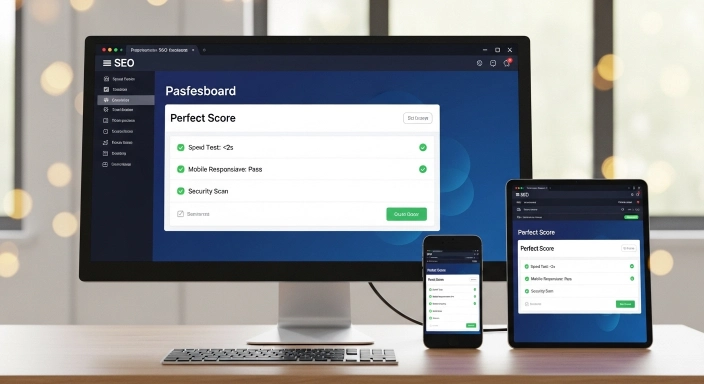
Check page speed. Run your URL through the Website Speed Test. A mobile score below 70 will directly harm your Core Web Vitals ranking signals. Target above 80 on mobile.
Check mobile responsiveness. Over 60% of Google searches happen on mobile. Run your article page through the Responsive Website Checker to confirm it renders correctly across device sizes.
Check for malware. A site flagged by Google Safe Browsing as hosting malware sees traffic drop to near zero within days. Run the Website Malware Scanner monthly on your domain.
Keyword Research Checklist for Bloggers
Research phase:
- Seed keywords brainstormed from niche knowledge
- Reddit and PAA questions checked for long-tail ideas
- Target keyword has realistic KD (below 40 for new blogs)
- Search intent identified — content format matches SERP results
- CPC noted for monetization planning
- Semantic cluster of 8-15 related terms built
Before writing:
- Competitor content on this keyword reviewed
- Content format confirmed (how-to, list, comparison, etc.)
- Word count target based on top-ranking pages noted
On-page structure:
- Primary keyword in H1, URL, meta title, first 100 words
- Semantic keywords distributed naturally across H2 and H3 headings
- FAQs included targeting PAA questions
- Internal links to relevant tools and related articles
Frequently Asked Questions
What is the best keyword research tool for blog beginners in 2026? The WP Skillz Semantic Keyword Ideas Generator — no login, no payment, A-Z expansion built in, intent classification included, and CSV/PDF export available. It surfaces real autocomplete data from Google without the restrictions of paid tools.
Should new blogs target zero-volume keywords? Yes, selectively. A keyword showing zero volume in keyword tools sometimes gets 10-50 monthly searches that the tool’s data threshold does not capture. More importantly, zero-volume keywords with clear intent often convert far better than high-volume terms with ambiguous intent.
How many semantic keywords should one article target? Cover your primary keyword plus 8-15 semantic variations naturally within the content. These should appear in headings, body text, and FAQ sections without any forced repetition. The goal is topic coverage, not keyword density.
Can a nine-month-old domain rank for competitive keywords? It depends on the competition level. For keywords with KD below 30, a nine-month domain with good content and basic on-page SEO has a realistic ranking path. For KD above 60, the same domain will struggle regardless of content quality.
Conclusion — Research First, Write Second
The bloggers who consistently grow their organic traffic are not necessarily the best writers. They are the ones who know what to write before they write it.
Keyword research is not a separate task from content creation — it is the foundation that makes content creation worthwhile. Finding a keyword with real search demand, manageable competition, and clear intent before you write a single word means your three hours of writing work has a genuine destination.
Use the WP Skillz Keyword Ideas Generator to find your next article topic. Check the difficulty, check the intent, build the semantic cluster, then write to the topic — not just the keyword.
Connect with me on LinkedIn if you want to discuss keyword strategy for your specific niche.
Waseem Aijaz — WordPress Developer & SEO Specialist, WP Skillz Keyword Ideas Generator | All SEO Tools | About WP Skillz