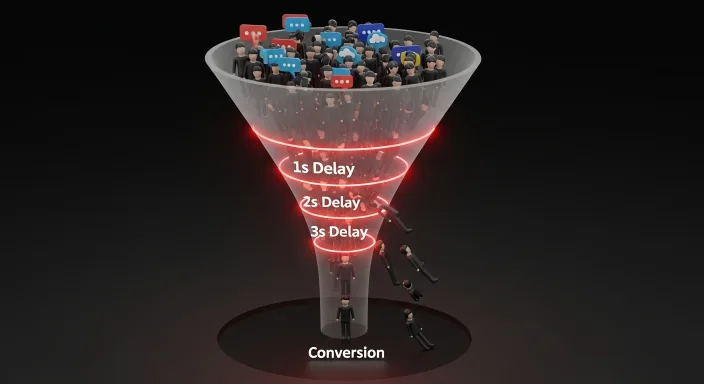
I ran a speed audit on a client’s WooCommerce store last year. Good products, genuine reviews, solid keyword rankings — but their conversion rate was 0.8% on mobile. The industry average for their category was 2.4%.
The first thing I checked was load time. Their mobile LCP (Largest Contentful Paint) was 6.2 seconds. Their homepage hero image was a 4.8MB PNG uploaded directly from a camera. No compression, no WebP conversion, no lazy loading.
We fixed three things: converted images to WebP, enabled caching, moved to a faster hosting tier. Mobile LCP dropped to 1.8 seconds. Within six weeks, mobile conversion rate climbed to 2.1%.
Same products. Same prices. Same traffic. The only change was speed.
Speed is not a technical metric that lives on a developer’s dashboard. It is a revenue metric that directly determines whether people who arrive on your site actually buy from it.
How Website Speed Affects Rankings in 2026
Google’s algorithm has incorporated page speed as a ranking signal since 2018 for desktop and 2021 for mobile. In 2026, the signal has become more specific — it is no longer about overall load time, but about Core Web Vitals.
Core Web Vitals are three measurable experiences:
LCP (Largest Contentful Paint): How quickly the main content of the page becomes visible. Target: under 2.5 seconds. Above 4 seconds is a failing grade.
INP (Interaction to Next Paint): How quickly the page responds when a user clicks something — a button, a link, a form submission. This replaced FID in 2024. Target: under 200 milliseconds.
CLS (Cumulative Layout Shift): How much the page layout shifts around while loading. When images load late and push text down, users accidentally click the wrong element. Target: below 0.1.
Google uses these three metrics to assign a pass or fail assessment to each page. Pages that fail Core Web Vitals receive a ranking disadvantage compared to otherwise similar pages that pass.
This is not theoretical. I have seen sites improve ranking positions three to five places after fixing Core Web Vitals with no other changes to content or backlinks. Speed fixes are among the most direct ranking improvements available without creating new content.
Speed and AI Search Visibility — The 2026 Factor
Search behavior in 2026 is not just Google. A growing share of informational queries go to AI assistants — ChatGPT, Google Gemini, Perplexity — which retrieve and synthesize information from the web to answer questions directly.
These AI systems crawl and index web content. When their crawlers fetch your pages, they encounter the same performance conditions your visitors do. A page that takes 6 seconds to load on a mobile connection is a page that AI crawlers may time out on or deprioritize in their retrieval queue.
More practically: AI-generated answers tend to cite sources that are clearly structured, quickly accessible, and technically well-optimized. A slow site creates friction at the crawl level that reduces the likelihood of your content being included in AI-generated responses.
This is the core of GEO (Generative Engine Optimization) — making your content technically accessible to AI systems that increasingly influence what information reaches users. Speed is a direct factor in that accessibility.

The Conversion Cost of Every Extra Second
The data on this is consistent across multiple studies from Google, Deloitte, and Portent:
| Load Time | Conversion Rate Impact | Business Status |
|---|---|---|
| 1.0 – 1.5 seconds | +20% above baseline | Winning |
| 2.0 – 2.5 seconds | Baseline | Safe |
| 3.0 – 4.0 seconds | -25% below baseline | At Risk |
| 5.0 seconds+ | -50% below baseline | Critical |
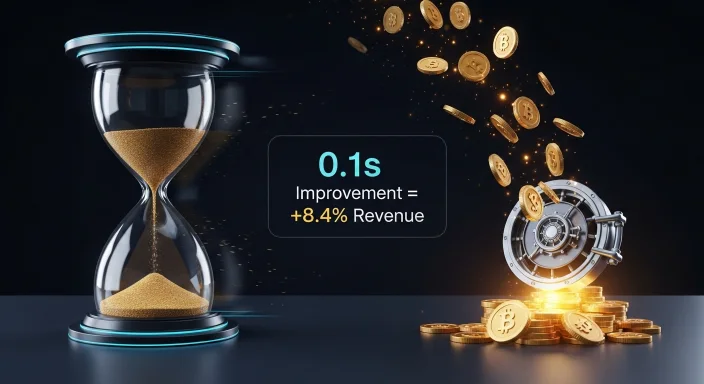
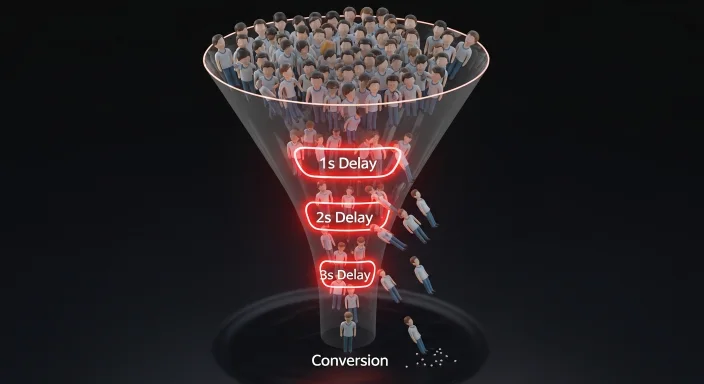
A 1-second delay reduces conversions by approximately 7%. On a site generating $10,000 per month, that single second costs $700 monthly — $8,400 per year. Not from bad marketing, not from poor product quality, but from a fixable technical problem.
The frustration threshold is real. When a user taps a link on mobile and waits more than 3 seconds for any visible response, 53% of them leave before the page loads. They do not come back. They find a competitor who loads faster.
For AdSense-monetized blogs, speed affects revenue differently but equally significantly. Slow sites increase bounce rate. High bounce rate reduces session duration. Google AdSense RPM is directly tied to session engagement — a visitor who bounces in 8 seconds generates a fraction of the ad revenue of a visitor who reads for 3 minutes.
Running a Website Speed Test — What to Look For
The WP Skillz Website Speed Test runs your URL through Google’s PageSpeed Insights API and returns four scores: Performance, Accessibility, Best Practices, and SEO — for both mobile and desktop.
Reading your mobile performance score:
- 90-100: Excellent. Core Web Vitals likely passing.
- 70-89: Good. Some optimization opportunities but no critical failures.
- 50-69: Needs improvement. Likely failing one or more Core Web Vitals.
- Below 50: Poor. Significant impact on rankings and conversions. Fix immediately.
The mobile score matters more than desktop. Google uses mobile-first indexing — the mobile version of your page is what gets indexed and ranked. A site with a desktop score of 95 and a mobile score of 45 has an SEO problem.
Specific metrics to look at:
Time to First Byte (TTFB): How quickly your server responds. Above 600ms indicates a hosting or server configuration problem. No amount of front-end optimization fixes a slow server response.
LCP element: The speed test identifies which element on your page is the LCP. Usually the hero image or a large heading. This is your most important optimization target — if this element loads fast, your LCP score passes.
Total blocking time: JavaScript files that execute before the page finishes rendering. Heavy JavaScript from page builders, chat widgets, and tracking scripts commonly causes this.
4 High-Impact Speed Fixes for WordPress Sites
These are the fixes I run first on every site audit because they deliver the greatest improvement per hour of work.
Fix 1 — Convert Images to WebP
Images account for 50-75% of total page weight on most WordPress sites. A 4MB hero image that could be 180KB in WebP format is the single largest avoidable performance problem.
How to fix it: Use the WP Skillz Bulk Image Resizer to compress and convert existing images to WebP before uploading. For WordPress, install a plugin like Imagify or ShortPixel to automatically convert new uploads. Target under 100KB per image for standard content images and under 200KB for hero/banner images.
The before and after is dramatic. A client’s product page went from a 2.8MB total page weight to 340KB after image optimization alone — no other changes.
Fix 2 — Install a Caching Plugin
WordPress generates pages dynamically — every visitor request triggers PHP execution and database queries. A caching plugin saves a static HTML copy of each page and serves that directly, bypassing most of the server processing.
Good caching can reduce server response time from 800ms to under 100ms. WP Rocket, LiteSpeed Cache (free for LiteSpeed servers), and W3 Total Cache are the most widely used options. Configure it, test your speed immediately after — the difference is visible in the first run.
Fix 3 — Defer Non-Critical JavaScript
JavaScript files that are not needed for the initial page render should be deferred — loaded after the visible content appears rather than before it.
In WordPress, most caching plugins include a script optimization setting. Enable “Defer JavaScript” or “Delay JavaScript execution.” Test after enabling — some plugins break when their JavaScript is deferred, so verify functionality on key pages (especially checkout on WooCommerce stores).
Fix 4 — Check Your Hosting Tier
A cheap shared hosting plan on an overloaded server cannot be optimized past a certain point. If your TTFB is consistently above 1 second and you have tried caching and CDN without improvement, the limiting factor is the server itself.
Signs your hosting is the bottleneck: TTFB above 800ms, performance varies dramatically at different times of day, support tickets about slow response times from multiple sites on the same account.
Upgrading to a managed WordPress host or a VPS with adequate resources is the fix. No front-end optimization compensates for insufficient server resources.
Mobile Speed Specifically — Why It Needs Separate Attention
Mobile visitors face two performance challenges that desktop users do not: smaller device processing power and variable network conditions.
A visitor on a 4G connection in an area with weak signal loads your page on a connection that may be 3-5 Mbps rather than the 100+ Mbps of a home WiFi connection. Images that load instantly on fiber take seconds on that connection.
This means mobile performance optimization goes beyond the standard speed checklist. Additional mobile-specific actions:
Serve smaller images to mobile. Using WordPress’s srcset attribute or a plugin that serves mobile-specific image sizes, you can send a 150KB image to mobile visitors and the full 400KB version to desktop. The smaller image loads faster without any visible quality difference at mobile screen sizes.
Reduce the number of HTTP requests. Every external resource — fonts, scripts, CSS files — is a separate request. Each request takes time on a slow connection. Combining files, using system fonts instead of Google Fonts, and removing unused plugins reduces this count.
After completing mobile-specific optimizations, run the Responsive Website Checker alongside the speed test. A fast site that breaks on mobile is still broken — both dimensions need to pass.
Speed Is Not Just Performance — It Is Security Too
One cause of sudden performance degradation that most site owners never suspect: malware.
Crypto-jacking scripts injected into WordPress sites use visitor CPU power to mine cryptocurrency. This dramatically increases page CPU usage, slows rendering, and degrades the mobile experience. Affected sites often show mysterious performance drops that do not correspond to any content or hosting change.
If your speed test scores suddenly worsen without any identifiable cause, run a Website Malware Scanner check immediately. Malware-related performance problems cannot be fixed by optimization — only by removing the malicious code.
Website Speed Optimization Checklist
Run through this after every major WordPress update or hosting change:
Images:
- All images converted to WebP format
- Hero/banner images under 200KB
- Product/content images under 100KB
- Lazy loading enabled for below-the-fold images
Server and caching:
- Caching plugin installed and configured
- Browser caching headers set
- TTFB below 600ms — if not, evaluate hosting
JavaScript and CSS:
- Non-critical JavaScript deferred
- CSS files minified
- Unused plugins deactivated and deleted
Mobile specific:
- Mobile performance score above 80
- Mobile-specific image sizes configured
- No render-blocking resources on mobile critical path
Verification:
- Speed test run after each change — improvement confirmed
- Core Web Vitals passing in Google Search Console
- Malware scan run — clean result confirmed
Frequently Asked Questions
How much does a 1-second delay actually cost in sales? Approximately 7% conversion rate reduction per second of additional load time. On a site generating $10,000 monthly, one extra second costs roughly $700/month. The impact compounds — a 3-second load time means roughly 21% fewer conversions than a 1-second load time.
What is the most important Core Web Vitals to fix first? LCP (Largest Contentful Paint) for most sites. It is the most commonly failing metric and the one with the clearest fix — the LCP element is usually a large unoptimized image. Compressing and converting that image to WebP often resolves the LCP failure entirely.
Does website speed affect Google AdSense earnings? Yes, indirectly but significantly. Slow sites increase bounce rate, which reduces session duration and pages per visit. AdSense revenue correlates directly with engagement — fewer pages viewed per session means fewer ad impressions and lower RPM.
Is mobile speed more important than desktop speed? Yes. Google uses mobile-first indexing — the mobile version of your site is what gets indexed and ranked. A high desktop score with a failing mobile score still results in ranking penalties. Prioritize mobile performance above desktop.
What causes a sudden drop in speed scores? The most common causes are: a plugin update that added heavy scripts, an image upload without compression, a hosting issue, or malware injection. Run a speed test and a malware scan simultaneously to identify the cause.
Conclusion — Speed is the Foundation Everything Else Rests On
The WooCommerce store from my opening story had good content, good products, and consistent traffic. None of that mattered until the site was fast enough for mobile visitors to stay.
Speed affects rankings. Speed affects conversions. Speed affects whether AI search tools include your content in their responses. Every other optimization — keyword research, schema markup, content quality — builds on the foundation of a fast, technically sound site.
Check your speed today using the WP Skillz Website Speed Test. Find your LCP element. Compress your images. Install caching. Run the test again.
Those three steps take under an hour and produce measurable ranking and revenue improvements within weeks.
Connect with me on LinkedIn if you want to discuss a specific speed issue on your site.
Waseem Aijaz — WordPress Developer & SEO Specialist, WP Skillz Website Speed Test | All Dev Tools | About WP Skillz