Best Free Online Image Quality Converter Low to High: Convert Photo to HD 1080p & 4K Resolution Easily
How often does it happen? You click a great picture, but when you zoom in, it’s a blurry mess. As a blogger myself, I remember the frustration of finding the perfect visual, only to see it fail my website’s quality check. If you’re facing this issue—where your online image quality converter low to high search isn’t yielding results—you’re in the right place! We’re going to discuss the ultimate best free online image quality converter tool that can truly transform your images.
This guide does more than just list features; it’s a lesson in modern digital image enhancement. We’ll show you exactly how to convert a photo to HD 1080p online for free using powerful AI technology. More importantly, we’ll explain the security features that protect your files and discuss the secrets of the low-quality to high-quality image converter process. Let’s get started and make your images shine!
The Science of Compression: What Exactly Gets Compressed?
Before we dive into quality conversion, we need to talk about compression. When we say an image compressor reduces file size, how does it actually happen? It’s not just shrinking the picture; it’s a sophisticated process.
When you take a photo, the camera adds a lot of hidden, unnecessary data—called metadata. This includes the camera model, lens settings, date, time, and sometimes even GPS location!
The image compressor works by stripping away this non-essential data.
Removing metadata (the easiest part): Camera details, color profiles that are not necessary for the web, and comments are removed.
Color optimization: The tool reduces the number of different colors used without changing the look, which is important for a good image converter to PNG.
Lossy vs Lossless (important option): Lossless compression removes only the hidden junk, guaranteeing a compressed image without losing quality. Lossy compression (like typical JPG reduction) removes some visible detail to achieve a smaller size.
Mastering the Low-Quality to High-Quality Image Converter for Sharpness
This is the challenging part—making a low-quality image better. The best low-quality to high-quality image converter relies heavily on advanced AI (Artificial Intelligence) to succeed.
Imagine trying to convert an image to 4K resolution online with free AI. AI doesn’t just draw pixels; It compares the blurry parts of the image with millions of sharp, high-resolution images in the database. It intelligently adds realistic detail, texture, and sharpness to the photograph.
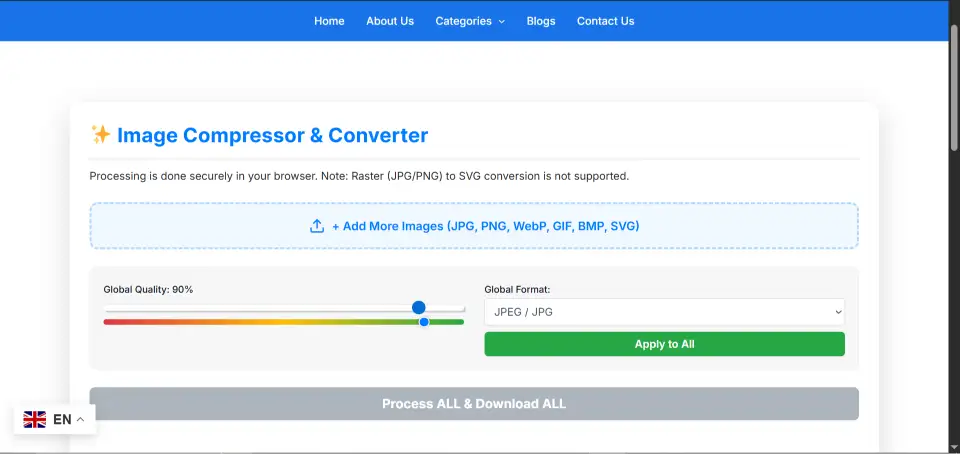
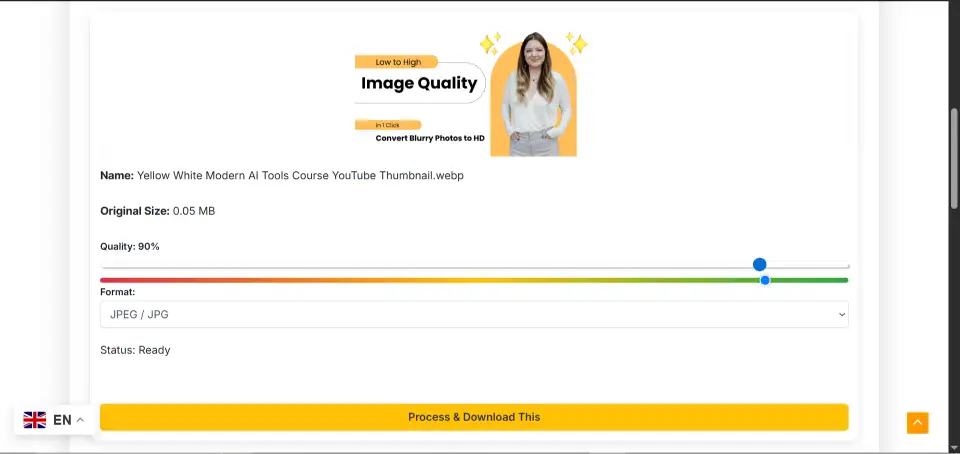
How are you able to get started? Simply upload your image to HD Image Converter Free Online Tool and select the target resolution (like HD 1080p or 4K). You don’t need complex software like Photoshop. This online image quality conversion technology is available to all now, making it easy to convert a picture to HD quality.
The Power of Format Switching: From JPG to WEBP Converter Online
For anyone managing a website, an efficient JPG to WEBP Converter Online is an absolute must. Why? WebP is the modern champion of web formats. Using a quality JPG to WebP converter download isn’t the only solution; a free online tool is often much faster and more up-to-date.
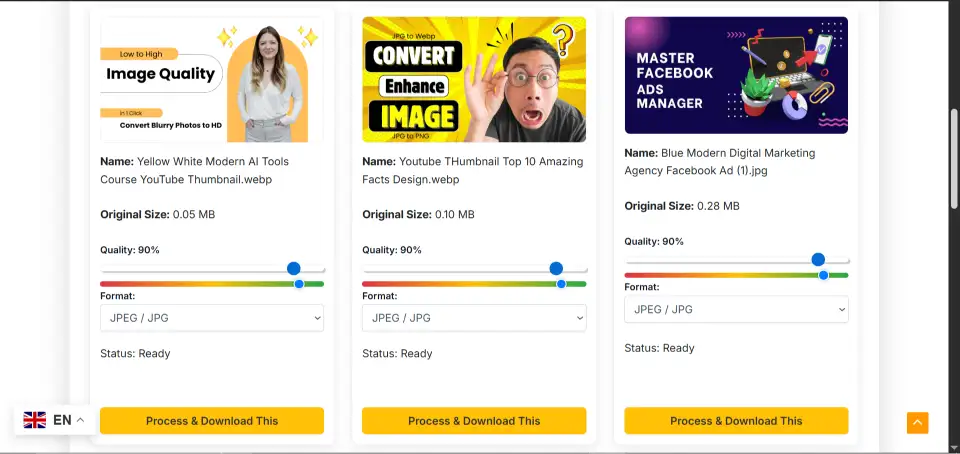
Can you convert multiple files at once? Yes, the leading picture converter tools now offer a fantastic Jpg to WebP bulk converter online free feature. You can upload dozens of files and convert them all in seconds. This is the ultimate tool to reduce image size across your site dramatically.
Anecdote: When I switched my main blog images from JPG to WEBP, my site’s loading speed improved by a full second! That speed bump instantly made my Google ranking better.
The Importance of a Secure Image Quality Converter Free Tool
This is a point many users miss, and it’s why our tool stands out. When you use an online image quality converter for free, security is paramount.
Does the tool save your photo? In most cases, yes, temporarily. But the most secure HD photo converter without watermark follows this unique policy: Your images are never stored on our server. Processing happens client-side (in your browser) or is instantly deleted after processing. This is a crucial security feature that ensures your photos remain completely private, whether you’re using it as a simple Image converter to JPG or a complex low-quality to high-quality image converter.
Advanced Image Resizer and Quality Enhancer functions
Using an Advanced Image Resizer and Quality Enhancer, you can control both the file’s volume (MB or KB) and its physical dimensions (pixels).
Resize: Change the pixel dimensions (e.g., from 3000px width to 1200px width).
Enhancement: Use the image enhancement option to make subtle corrections to brightness, saturation, and contrast.
Remember: Even after using the image compressor, you might need the image resizer to fit your content template perfectly.
Mobile Conversion: How to Convert a Photo to JPEG in Mobile
Many professionals frequently ask, how to convert a photo to jpeg in a mobile? You don’t need to download another heavy Convert image to 4K resolution app. Simply open your browser on your Android or iPhone, go to the online image quality converter, upload your photo, and select the image converter to JPG. The entire process takes less than 10 seconds. This is how smart people save time and phone space!
Final checklist: Ensure quality and compliance
To make sure your photos are truly ready for Google’s spotlight:
🚀 Why Choose This Tool
Feature
Description
AI Enhancement
Automatically detects blur and restores image clarity.
Fast Processing
Converts and enhances within seconds — no waiting time.
Secure & Private
Files never leave your browser; nothing stored on servers.
Works on any device — desktop, Android, or iPhone.
Watermark Free
Download clean, professional images every time.
Use WebP: Convert all possible images (PNG to WebP) for maximum speed.
Check Final KB: Make sure the kb image conversion feature helps you keep files small (under 100kb is ideal).
Safe processing: Check that the tool does not save the image on the server.
Frequently asked questions (FAQ) about photograph optimization
Q1: Can I convert a photograph to 4K resolution online using AI with vintage pictures? Answer: Yes. The AI is designed to work nicely even with low-quality originals, making it an excellent online picture high-quality converter for restoring antique, loved snapshots.
Q2: How do I ensure I’m using lossless compression? Answer: Look for the “Lossless” or “High Quality” alternatives on photo compression tools. This approach ensures the first-class viable even as doing away with pointless metadata.
Q3: Does the device handle SVG to WEBP conversion? Answer: The top equipment is continuously updated. They can cope with advanced conversions like SVG to WEBP, making sure you have the proper layout for any task.
Conclusion: Choose Smart Choices for Visuals
The desire is clear. If you want a fast, SEO-friendly website and clear, professional-looking photos, you can’t rely on outdated tools or complicated software. You need an advanced, secure online image quality converter, low to high, that handles compression, enhancement, and conversion (like a JPG to WEBP converter online) with equal efficiency. Remember our unique advice: Prioritize the tool that guarantees zero server storage for ultimate privacy.
(Internal Link: If you want to learn how to compressan image without losing quality in more detail, check out our guide on Advanced Image Optimization Techniques.)
Go ahead and test the power of a truly secure and effective best free online image quality converter today!
For more detailed visual guides, you can also check out our YouTube channel or connect with us and share your feedback on our Facebook page!