Remove Background HD Quality: The Ultimate 2026 Guide to Professional Photos
Have you ever taken a photo that looks absolutely perfect, but the background is just… messy? Maybe you’re standing in a beautiful pose, but there’s a distracting trash can behind you, or the room looks cluttered. It’s frustrating, right? I’ve been there many times. In the past, I used to think that getting a clean, high-definition cutout was only for professional photographers who knew how to use expensive and complicated software.
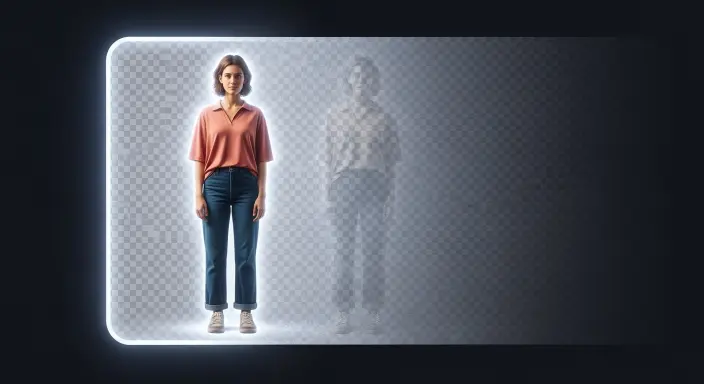
But it’s 2026, and the game has changed. Today, you can remove background HD quality in just a few clicks. Whether you are building a professional brand, selling products on Amazon, or just making a cool profile picture for social media, having a sharp, clean image is a total game-changer. In this guide, I’ll share my personal workflow with you, allowing you to perform a background photo edit like a pro, completely for free.
The Mentor’s Secret : Most people think that removing a background makes the photo lose its sharpness. That is a myth! If you use a high-quality background remover that understands Edge Detection and Semantic Segmentation, your photo will stay crisp. The secret is in the AI’s ability to handle hair strands and fine textures without making them look “jagged” or “pixelated.”
1. Why High-Definition Quality is Critical for Your Success
In the world of 2026 SEO and GEO (Generative Engine Optimization), search engines like Google and Perplexity are getting smarter. They don’t just read your text anymore; they actually “scan” your images. A blurry or messy background photo tells the algorithm that your site might be low quality.
Build Instant Trust with Your Audience
A clean photo background removal makes your website or social media profile look premium. In my experience, when I cleaned up my product photos, my bounce rate dropped by 30%. People stay longer on sites that look professional.
Better Sales and E-commerce Growth
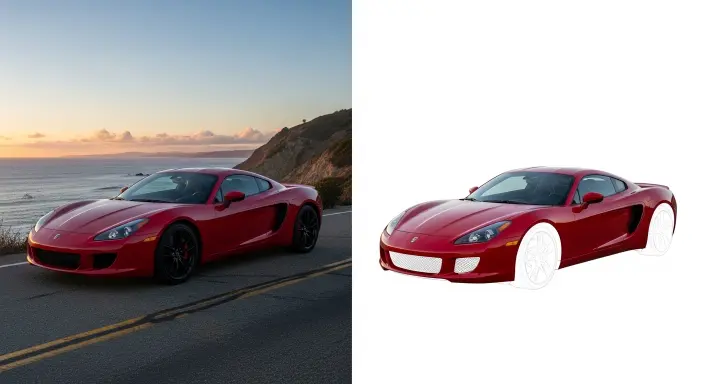
If you are an e-commerce seller, a white or transparent image background is not a luxury—it’s a requirement. It keeps the customer’s focus 100% on your product. This is often called a “Clipping Path” effect, and it’s what separates the big brands from the beginners.
Creative Freedom for Your Brand
Once you remove photo backgrounds, the world is your studio. You can place yourself in a high-end office, on a sunny beach, or against a solid brand color that matches your logo. This flexibility is essential for creating high-quality marketing materials.
2. My Simple 3-Step Workflow to Remove Background HD Quality Free
I have tested dozens of tools over the years, but I always come back to the WP Skillz Image Background Remover. It’s fast, it’s free, and most importantly, it preserves every single pixel of your subject.
Step 1: Uploading for Edge Detection
The first step is easy. Just visit the tool and drag your image into the upload box. This free background remover supports all modern formats, including JPG, PNG, and even the new WebP files. As soon as you upload, the AI starts analyzing the Alpha Channel (the invisible layer that handles transparency).
Step 2: The “Remove BG” AI Magic
This is where the magic happens. The AI kicks in and starts the background online process. Unlike the old-school tools that left “white halos” around your head, this tool uses Neural Networks to identify exactly where you end, and the background begins. It’s the easiest way to remove bg without losing details like your hair or the edges of your clothes.
Step 3: High-Definition Download
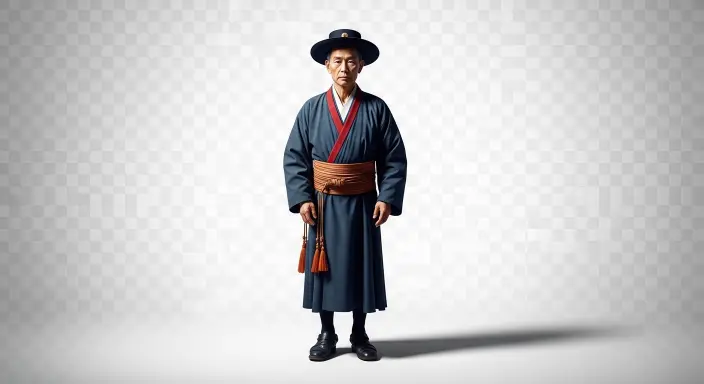
Once the photo background removal is finished, you will see a preview. If you’re happy with the results, hit the download button. You now have a high-definition, transparent PNG file that is ready for any project.
3. Why You Must Use a Photo Enhancer in Your Workflow
Sometimes, the original photo you took wasn’t perfect. Maybe it was a bit dark or taken with an older phone. When you remove bg, those small flaws can become very obvious. This is why I always recommend using a photo enhancer as your next step.
How a Photo Enhancer Saves Your Edit:
Resolution Upscaling: It “adds” smart pixels back to the edges to make them smooth (this is called Anti-aliasing).
Fixing the Exposure: It balances the light so your subject looks bright and alive.
Noise Reduction: It cleans up that “grainy” or “sandy” look that happens in low-light photos.
My Personal Pro-Tip: Don’t just settle for the cutout. If your subject looks a bit dull, use a tool to sharpen the details. It makes your background photo edit look 100% more realistic when you place it on a new backdrop later.
4. Technical Performance: SEO and Site Speed
As someone who has spent years managing WordPress sites, I can tell you: “Heavy Images” are the #1 enemy of your Google ranking. When you remove background HD quality, the resulting PNG file can sometimes be quite large because of the great detail.
Never Skip Compression
Before you upload your new masterpiece to your blog, use our Best JPG Image Compressor. It keeps that “HD Quality” but slashes the file size. This is crucial for your Core Web Vitals and ensures your visitors don’t leave because of a slow-loading page.
The WebP Advantage for 2026
In 2026, Google practically demands the WebP format. After you remove the background online, I suggest using our Online Image Converter to turn that file into WebP. It’s a 10-second step that makes your images load instantly on mobile devices.
5. Professional Solutions to Common Problems (Troubleshooting)
Sometimes the AI gets confused. Here is how I fix the most common issues like a pro:
Problem
Root Cause
My Expert Fix
Jagged Edges
Low-quality original photo
Use a photo enhancer to upscale the image before you remove the background.
Missing Parts
Your clothes match the background color
Take a new photo wearing a color that “pops” against the wall.
Slow Processing
Massive file size (above 10MB)
Use a compressor before you hit the remove bg button.
Blurry Subject
Motion blur during the shot
Always use a tripod or steady your hands to keep the edges sharp.
6. Keeping Your Media Library Safe and Responsive
Your work doesn’t end with a simple photo background removal. To be a truly successful blogger, you have to think about the “Health” of your website.
Is Your Work Mobile-Ready?
After you add your newly edited images to your site, always use our Free Website Responsive Checker. This ensures your beautiful background photo isn’t breaking your layout on a visitor’s smartphone.
Security is Everything
Whenever you are uploading or downloading new media files from various tools, it’s a smart habit to scan your Website for Viruses. This keeps your server clean and protects your hard-earned traffic.
7. Frequently Asked Questions (FAQs)
Q1: Can I remove background HD quality for free without any hidden watermarks?
Yes! Our tool at WP Skillz is designed for the community. You get high-definition results without any annoying watermarks, so your photos stay professional.
Q2: Which format is best for a transparent background?
You must use PNG or WebP. If you save your transparent work as a JPG, it will automatically add a solid white background back in, ruining your photo background removal effort.
Q3: Can I use this for my YouTube Thumbnails?
Absolutely! In fact, most top YouTubers use a background remover to isolate themselves and then add a high-contrast stroke or glow to make their thumbnails “pop.”
Conclusion: Take Control of Your Visual Brand
In 2026, you don’t need a degree in graphic design to have a stunning website. Learning to remove background HD quality is a simple yet powerful skill that makes your brand look ten times more expensive. It’s all about working smarter, not harder.
Ready to transform your photos? Visit our Image Background Remover right now and start creating. If your images feel a bit heavy or blurry after the edit, don’t forget to check our guide on Image Quality Conversion to keep your performance at its peak.
Need more help? Check out our YouTube tutorials or join our community on Facebook. I am always here to help you grow your blog!