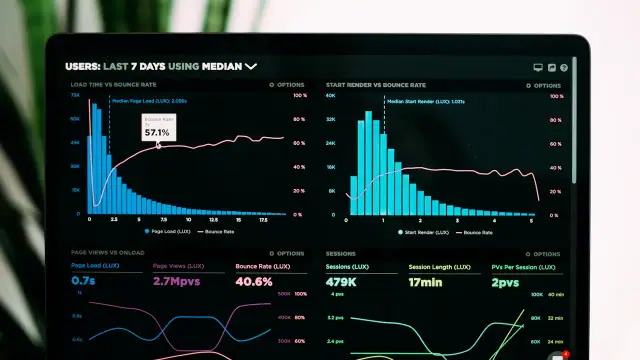

Use a fictional local services website as a working example. Its homepage contains a large photograph, an enquiry form, a map embed, and a moving banner. The owner tests on a fast laptop, while many visitors arrive on mid-range phones. The exercise compares tasks and conditions rather than presenting invented benchmark results as measured evidence.
Describe the slow moment
Slow is not a sufficiently precise diagnosis. Does the photograph arrive late, does the navigation ignore the first tap, or does the enquiry button move while someone tries to press it? Write down the action, device, connection, and page. This creates a shared problem statement and stops the team from optimising unrelated parts of the website.
Put it into practice
Reproduce one slow moment and describe it as a specific visitor task.
Evidence to keep: A short recording or timestamped sequence showing what the visitor waited for.
Stop and investigate if: The team cannot reproduce the symptom outside a vague complaint.
Keep the initial observation separate from the proposed solution. Write down what was known before making the change, which part of the exercise is hypothetical, and which information must come from the real website owner. This prevents an attractive explanation from becoming an unsupported claim. Ask a second reader to identify the decision being made and the condition that would change it.
Separate lab tests from field evidence
A controlled test is useful for comparing changes under the same conditions. Field measurements describe real visits and may reflect a broader range of devices and networks. Neither should be presented as the other. Record which kind of evidence you are using, the page tested, and the test conditions before deciding that a change has helped.
Put it into practice
Keep laboratory comparisons separate from any available real-user performance report.
Evidence to keep: The test tool, device profile, connection setting, and measurement period.
Stop and investigate if: One favourable test run is described as the experience of every visitor.
Use a comparison that another authorised person could repeat. Keep the relevant conditions stable, record the version or document reviewed, and change only what the question requires. If a comparison cannot isolate the cause, describe it as an observation rather than a proof. The useful record explains what was checked, what remained outside the test, and what should be investigated next.
Find the largest visible content
A hero image or headline often dominates the first screen. Inspect whether it is requested early enough, sized appropriately, and delayed by unnecessary scripts or font loading. Compressing every thumbnail will not solve a hero that arrives last because it was hidden behind a script. Prioritise the element that matters on the actual first screen.
Put it into practice
Identify the first-screen element whose late appearance most affects understanding.
Evidence to keep: A loading timeline that includes the relevant image, font, or text response.
Stop and investigate if: The proposed fix reduces bytes but does not change the delayed content.
Make the verification artefact small enough to review carefully. A short note, a safe test submission, or a documented configuration comparison can be more useful than a large unexplained report. Keep private information out of public examples. When the evidence is incomplete, state the gap beside the decision instead of allowing a confident summary to conceal the unresolved part of the work.
Reduce work after a tap
Responsiveness problems often appear when several scripts compete for the main thread. A plugin may perform work unrelated to the page where it loads. Review what happens after opening a menu or focusing a form, and disable one optional feature at a time in staging. A faster page should retain the interactions visitors actually need.
Put it into practice
Compare the same tap with and without one optional script or widget enabled.
Evidence to keep: A repeated interaction test and a list of features preserved after the change.
Stop and investigate if: A plugin is removed without checking whether it supports a required workflow.
Before accepting this step, consider the ordinary failure path as well as the successful one. Identify who notices a problem, what the visitor sees, and how the team returns to a known state. A process that works only when every assumption is correct remains fragile. The recovery action should be understandable to someone who did not design the original change.
Reserve space before assets arrive
Layout movement can make a page feel unreliable even when it loads quickly. Give images dimensions, reserve room for embeds, and avoid inserting banners above content after the visitor starts reading. Consider how a fallback font differs from the final font. Stability needs a complete loading sequence, not a screenshot captured after everything has settled.
Put it into practice
Watch the page from the initial response until images, fonts, and banners finish loading.
Evidence to keep: Notes identifying elements that move and the space reserved for them.
Stop and investigate if: A call-to-action shifts while a visitor is attempting to activate it.
Check the result in the context where it will actually be used. An isolated editor view, a demonstration account, or an unusually fast device may hide a difficulty that matters in normal operation. Record any conditions that differ from the intended audience. This does not require pretending to test every possible situation; it requires a clear account of the situations that were and were not examined.
Control cache assumptions
A returning administrator and a first-time visitor may receive different versions of a page. Test logged out, distinguish browser cache from page cache, and exclude personalised transactions where necessary. Clearing every cache without recording the sequence makes results hard to interpret. A cached homepage cannot tell you whether a checkout or account page is correct.
Put it into practice
Document the cache state and visitor state used for every comparison.
Evidence to keep: A test matrix covering a first visit, a repeat visit, and a dynamic form.
Stop and investigate if: A performance fix serves stale or personalised information to the wrong visitor.
Give the decision an owner and a review trigger. The person approving a change should know what evidence supports it and what would justify reopening it. Keep the handover practical: describe the action, the expected observation, and the limit of the conclusion. If responsibility is shared, explain where the next step goes rather than leaving it somewhere between several people.
Optimise images without losing meaning
Choose dimensions based on the space the image occupies and the detail the visitor needs. A small icon should not download a huge original, but a diagram with fine labels may need a different treatment from a decorative photograph. Compare a compressed image at its real display size, especially on a phone, before replacing the original.
Put it into practice
Create an appropriately sized image and compare legibility and file size.
Evidence to keep: The original and replacement dimensions, file sizes, and a visual review note.
Stop and investigate if: Compression removes information needed to understand a diagram or product.
Avoid turning a useful local finding into a universal rule. A result can depend on content, configuration, staffing, timing, or the audience’s needs. Note those dependencies in the review. A good recommendation remains conditional where the evidence is conditional, and it distinguishes a sensible next experiment from a result that has already been established by a controlled observation.
Keep a small performance budget
A page usually slows down through many individually convenient additions. Set a review rule for new embeds, fonts, plugins, and large images. Track a small set of representative pages and visitor tasks so that regressions are noticed early. A budget is useful when it informs decisions, rather than becoming a decorative number in a report.
Put it into practice
Add a performance check to the acceptance criteria for future page changes.
Evidence to keep: A short baseline for the homepage, article template, and enquiry route.
Stop and investigate if: New features repeatedly bypass the performance review.
Finish this check with a record another maintainer can understand later. Include the reason for the decision and any unfinished action, not just a mark saying complete. Revisit the check when its assumptions change. Keeping that link between a decision and its evidence makes future updates easier and prevents an old instruction from surviving after the situation it described has disappeared.
Worked example: a fictional scenario with concrete decisions
Take a purely illustrative homepage with a photograph displayed at roughly half the page width, a map, and a promotional slider. The owner reports that the page becomes readable quickly but the enquiry button sometimes moves. That observation points toward a stability problem rather than proving that the server is slow. Start with a recording of the loading sequence on a phone profile. Keep the same page and conditions when testing a change, and retain the original files in case the replacement removes useful detail.
Suppose inspection shows that the photograph has no reserved dimensions and a promotional strip is inserted above the introduction after loading. Giving the photograph an appropriate aspect ratio can reserve its space, while placing the strip within an allocated region can prevent an additional movement. These are hypotheses to test, not guaranteed fixes for every theme. Watch the complete sequence again. If another late element still pushes the button, the investigation has identified a remaining cause rather than disproving the value of the first correction.
For an arithmetic example, imagine a source photograph is 2,400 pixels wide while the displayed slot is 800 pixels wide on the selected desktop layout. The source is three times the slot width. That ratio alone does not determine the best replacement because device pixel density, responsive sizes, and needed detail also matter. It does justify checking whether the page downloads an unnecessarily large original. Compare a suitable responsive image at its actual display size instead of selecting a quality value only because it produces a small file.
Next, test opening the mobile navigation while the optional map embed is loading. If removing the map in staging changes the interaction, examine whether the embed can be deferred or replaced with a clearly labelled link. Preserve the visitor’s ability to find the business. A page that feels faster only because it removed essential directions has exchanged one problem for another. Document the alternative and ask whether it meets the original visitor need under ordinary network conditions.
The review ends with a baseline for the homepage, a typical article, and the enquiry route. Record the tested conditions and the specific symptom that improved or remained. Do not turn hypothetical dimensions or a single favourable run into an advertised performance result. The practical lesson is to follow the user’s delay, isolate a plausible cause, preserve the required function, and compare again. A score becomes useful when it helps explain that process, rather than replacing the process with a number.